
Addigy vs jamf
Real-time Apple management, without the drag.
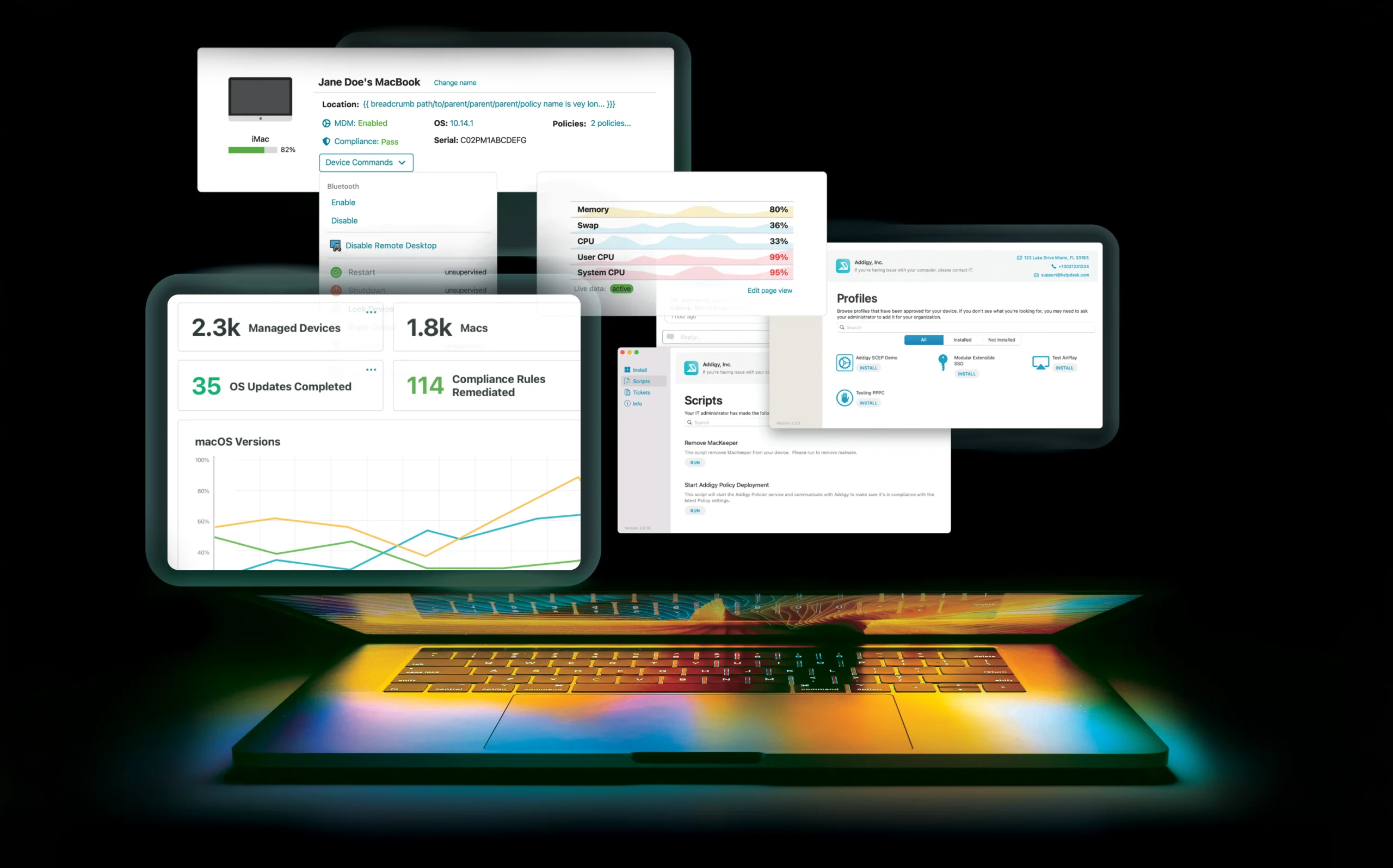
Addigy is built for running Apple at speed. See what’s happening on every Mac and iOS device as it happens, learn the platform in days, and fix problems live with built-in remote options.
Companies That Upgraded Their Apple Experience




Easy to learn. Teams are productive without certifications. Onboarding starts with a free 1-hour session with our SEs.
Real-time visibility. Live device status, fast inventory, and Deploy Now to push a change immediately.

Remote flexibility and control. Live Desktop, Live Terminal and Splashtop built in, so a broken Mac gets fixed while the user is still online.
How Addigy Compares to Jamf
Addigy has been Apple’s best kept secret since 2014. Real-time and multi-tenant by design, we are the top choice for IT teams and MSPs that need confidence in their Apple management without the complexity or the specialist headcount.
Jamf is a capable platform with a long history, and most Mac admins have worked in it. The question is not whether Jamf can do the job. It is what the job costs you in tiers, bundles, and time.
| Capability | AddigyBest fit | Jamf |
|---|---|---|
| Move Fast | ||
| See devices live | Live status, device facts, Deploy Now | 15-minute default check-in |
| Fix problems remotely | Live Desktop, Live Terminal and Splashtop for remote monitoring and troubleshooting | Remote Assist (macOS only) |
| Keep apps patched | Prebuilt apps that update automatically, or pin a version until you’ve tested it | App Installers and a patch catalog |
| Stay in Control | ||
| Identity and SSO | Included in every plan | Jamf Connect as a paid add-on |
| Security | Security Suite adds EDR and MDR on top of Intelligence Suite and Core as upgrades | Jamf Protect as a paid add-on |
| Get Everything Day One | ||
| Feature access | Full product access from your first day | Availability varies by plan, product and region |
| Time to learn | Immediate results without certifications | Steep learning curve, with required paid training |
| Getting started | Free 1-hour setup with our sales engineers, or a personalized migration | Paid professional services required |
Built for the way you work
Real-time control IT teams
Answer “are we compliant?” at a glance. Run routine work with prebuilt benchmarks and auto-remediation, and free your team up to do more.
True multi-tenancy for MSPs
Built for MSPs from the start. Run every client from one login and template policies once. RMM features are built in, and Addigy runs alongside the tools you already use, including your PSA.
How to evaluate an Apple MDM
Five questions worth asking every vendor on your list, including us. The strong and weak answers below are what to listen for.

Addigy Real-World Results
Moving to Addigy gave us real-time control, automation, and compliance we just couldn’t get with Jamf. We onboarded four times faster, cut costs, and solved security headaches outright.
Addigy’s visual profiles let us manage devices by state, city, and building. Jamf just couldn’t do that.
Apple Security & Compliance, Streamlined
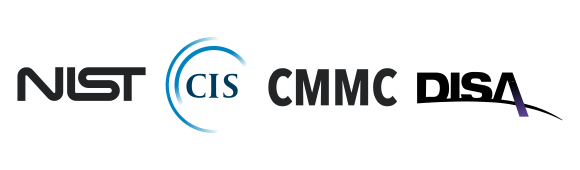
- Built-in frameworks: CIS, NIST, and DISA STIG policies ready out of the box
- Monitor or enforce, chosen per benchmark, so you can measure your posture before you change it
- Automatic device monitoring and instant compliance drift detection
- Exportable audit reports in seconds

Migrating from Jamf
Migrations are real work, and we would rather be straight with you about that than pretend otherwise.
Addigy runs a structured migration with you: a strategy review of your current environment, pre-migration setup of your profiles and software, a trial run on test devices so you see the end-user experience before you commit, then a supervised migration day. A dedicated Solutions Architect stays with you throughout, and it is included rather than quoted as a services engagement.
One thing no vendor can remove: Apple requires the end user to approve the new MDM enrollment on their device. Any vendor promising a migration with zero end-user involvement is describing something the platform does not allow. We plan that step with you instead of hiding it.

Apple device management that grows with you
Bring your hardest Apple problem to a 30-minute demo. We’ll fix it live.
Related Resources & Features


Frequently Asked Questions
Is Addigy a real alternative to Jamf, or a lighter version of it?
A real alternative. Addigy is Apple-only by design, covers the MDM protocol depth you would expect, and adds a persistent live connection to every device that Jamf’s check-in model does not provide. The difference is not depth, it is architecture and overhead: multi-tenant from day one, one tier with no capability gates, and support you reach directly. Where Jamf has a genuine edge is breadth of third-party integrations and the size of its community, and we would rather say that plainly than pretend otherwise.
How hard is it to migrate from Jamf to Addigy?
Less painful than the fear around it, and we are honest about the parts that are real work. You get a strategy review, pre-migration setup, a trial run on test devices, and a supervised migration day with a Solutions Architect, all included. The one step nobody can remove is that Apple requires the end user to approve the new MDM enrollment on their device, so we plan for that rather than promise it away.
Do I need to know how to write scripts to use Addigy?
No. Prebuilt benchmarks, a prebuilt app catalog, and smart policies cover the standard workload with zero scripting. Scripting is there for teams that want to go further and need the flexibility. It is a power tool, not a requirement, and it is not gated behind a higher tier.
If you’d like scripting audit & help, see the Intelligence Suite.