
Feature: Live Device Control
When Apple Users can’t wait, neither should IT.
Live fleet visibility. Always-on device access.
Real-time controls.
The only Apple MDM with the live RMM control IT deserves.
See what’s happening, take action instantly, and solve issues before users even notice. Addigy gives you real-time visibility and hands-on control—no waiting, no syncing, no guesswork.
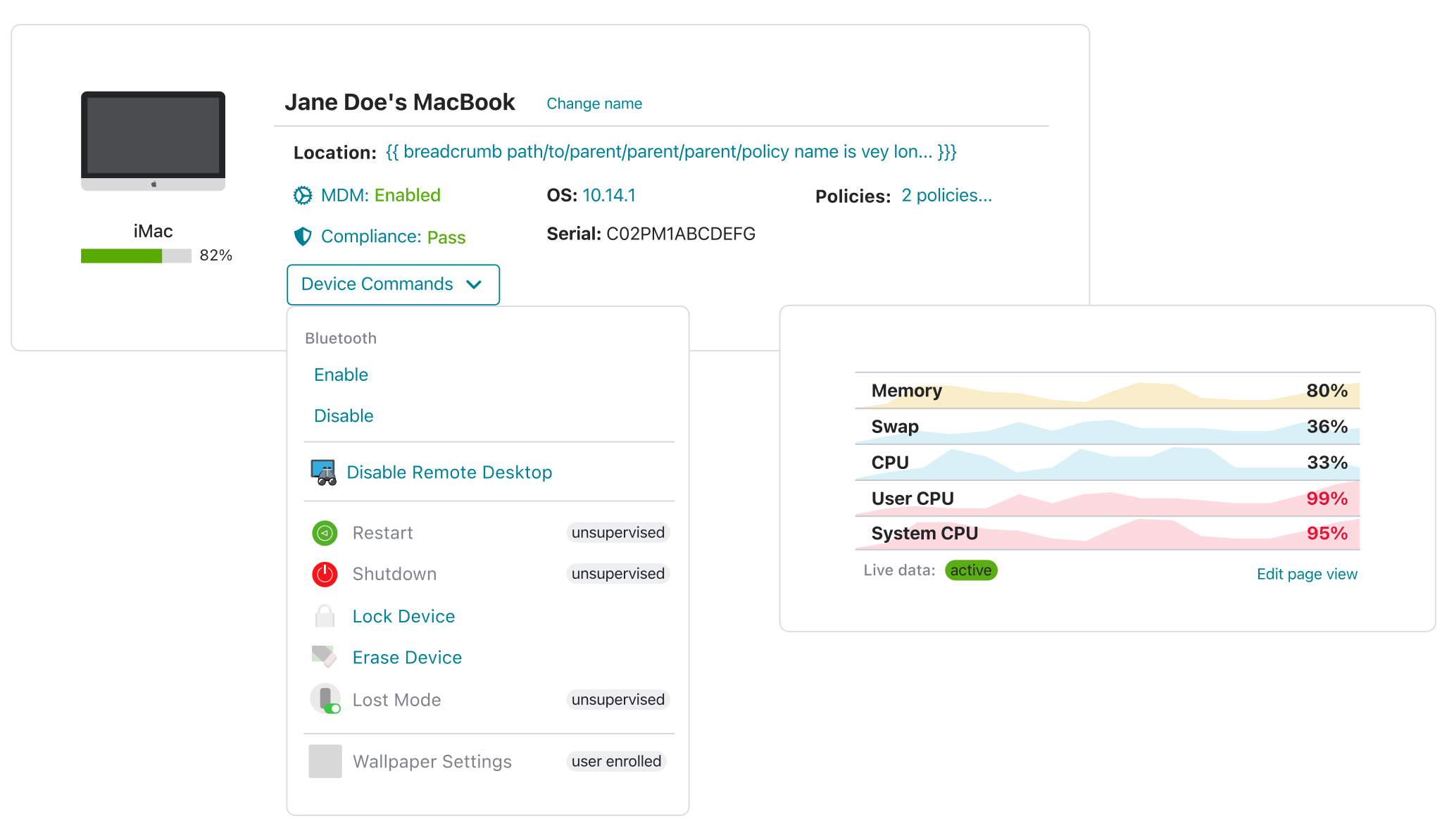
LIVE DEVICE VISIBILITY
Real-time problems need real-time fixes.
- Get notified the moment something drifts
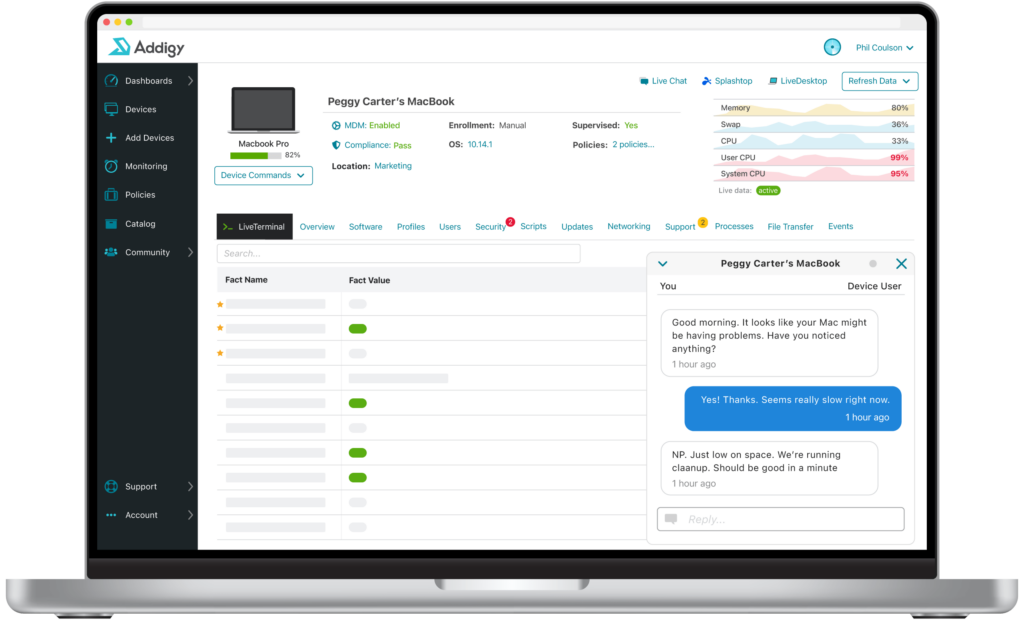
- Monitor CPU, compliance, and 100+ device state data points in real time
- Everything in one unified view
LIVE DESKTOP
See what your user sees. Fix it without the back and forth.
Pair Assist with Prebuilt Apps to deploy your entire app catalog as part of onboarding — silently, automatically, and without a single user prompt. No scripts. No packaging. No day-one “where’s my software?” tickets.
- Launch LiveDesktop for screen sharing in seconds
- Take direct control of the device without waiting for the user
- No separate tools or delays
LIVE TERMINAL
Command line control, right when you need it.
- Instant command line access to any Mac
- View logs, install packages, configure settings remotely
- Issue terminal commands from your browser
- Act behind the scenes while users work
ISSUE DETECTION & AUTO-REMEDIATION
Fix common issues before they hit
your help desk.
- Persistently monitor for device errors and more
- Auto-remediate common issues without user disruption
- Reduce ticket volume and keep support teams ahead
POLICY-DRIVEN FIXES
Skip the audit scramble. Auto-remediate instead.
- Real-time response to misconfigs and failed benchmarks
- Remediation scripts enforced by smart policies
- Stay ahead of drift without chasing down devices
Built for Apple. Trusted by IT.


















Apple was designed for users.
Addigy makes it work exactly how IT needs it.




Frequently Asked Questions
What can I actually do in Addigy GoLive, and how does it compare to Jamf Remote or Iru's remote capabilities?
GoLive gives IT live terminal access, real-time device telemetry (CPU, memory, network, running processes), instant MDM command execution, and one-click software or profile deployment — all without scheduling a separate remote session. Jamf Remote is primarily screen-sharing focused, while GoLive is built for deep, real-time device interrogation and remediation in a single pane.
Can I run scripts or push MDM profiles to a device directly from GoLive without creating a policy first?
Yes. GoLive lets you execute scripts, deploy MDM profiles, push apps, and run live audits on any individual device without creating or modifying a policy. This is purpose-built for real-time troubleshooting scenarios where creating a full policy workflow would be too slow.
How does GoLive help IT resolve issues faster compared to waiting for a Jamf check-in or a Iru agent sync?
Because GoLive operates in true real-time, an IT technician can diagnose and fix a device in a single session — seeing live process data, running remediation commands, and confirming resolution without ever asking the user to wait for a sync or recheck. For distributed or remote workforces, this dramatically reduces mean time to resolution.