
Solutions: For IT TEAMS
The only MDM platform that doesn’t add to your team’s workload.
Real-time visibility, control, and security — without the complexity.













Eliminate tedious tasks.
Secure the vulnerable.
Reduce support tickets.
We’re not here to
make you love Apple.
We’re here to make it work.
Overview
Make Apple the easiest part of your job.
Don’t let a small part of your fleet take up your team’s time. Let Addigy handle Apple—so you can focus on everything else.
EFFICIENT DEVICE MANAGEMENT AT SCALE
Set it, secure it, and move on.
- No tedious tasks. No babysitting.
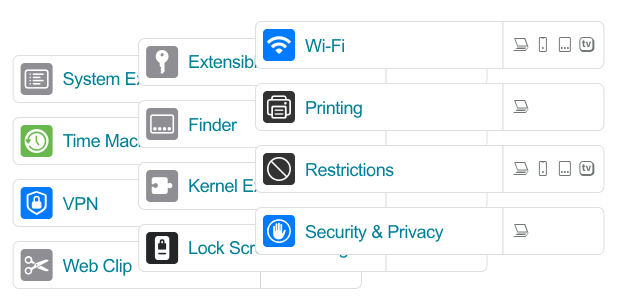
- Deploy and enroll devices easily at scale with zero-touch provisioning.
- Instantly push updates, apps, and policies— no waiting for syncs.
- Set your security policies once, and let Addigy auto-remediate for drift go-forward.
- See every device live, with real-time alerts and health metrics.
REAL-TIME VISIBILITY & CONTROl
When users can’t wait, neither should IT.
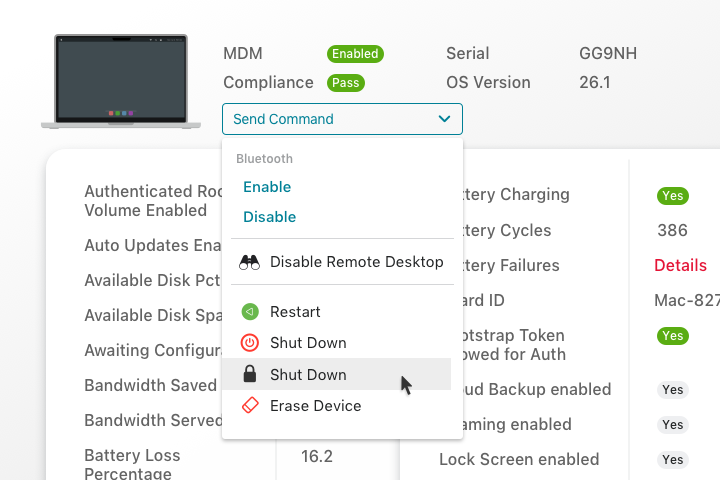
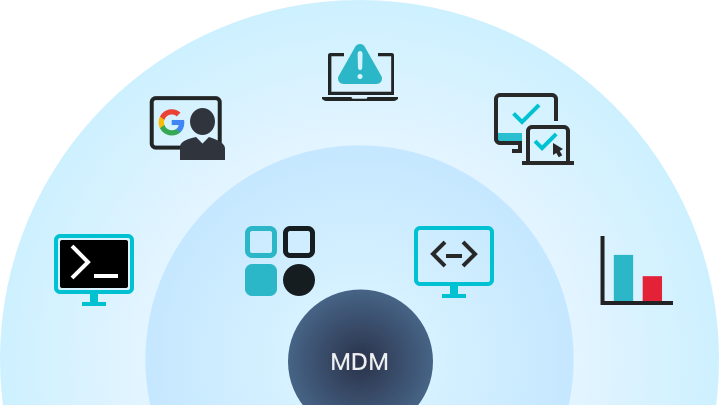
- Launch LiveDesktop for screen sharing in seconds.
- Take direct control of the device without waiting for the user.
- Instant command line access to any Mac.
- Auto-remediate common issues without user disruption.
- No separate tools or delays.
ENDPOINT HARDENING & SECURITY
Enterprise-grade security,
automatically enforced.
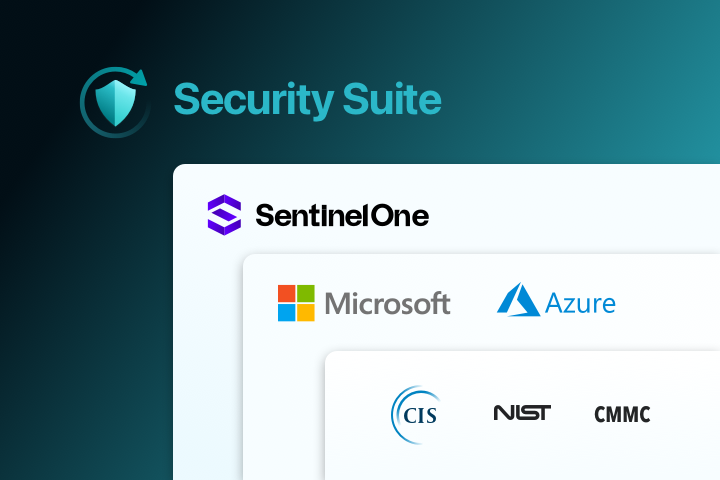
- Real-time EDR and 24/7 MDR, powered by SentinelOne.
- Stop threats fast with rollback and remediation— no SOC required.
- Auto-enforced encryption, firewall, and OS baselines.
- Self-healing policies eliminate manual fixes.
- Block threats, lock devices, and restore fast—without added effort or stress.
AUTOMATED COMPLIANCE & REPORTING
Audit-ready reports,
without the scramble.
- Apply CIS, NIST, or custom frameworks once— Addigy enforces them continuously.
- Auto-remediate drift before audits become a fire drill.
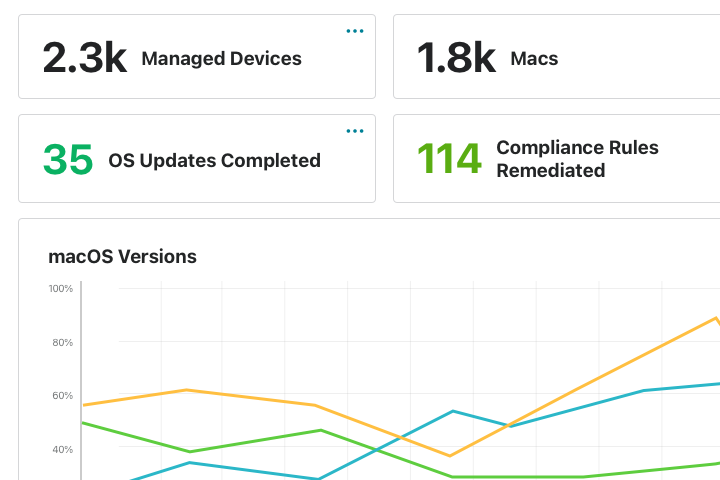
- Customize reporting dashboards with 100+ real-time device metrics.
- Export audit-ready reports instantly from always-on dashboards.
- No more manually compiling data or metrics.
Amplify
Interested, but not ready to
switch your MDM?
Amplify yours instead.
- Layer Addigy’s real-time visibility and alerts on top of any MDM.
- No need to re-enroll devices or migrate workflows.
- Fix what your legacy MDM misses.
Why enterprise teams choose Addigy

Always-on, Secure, and Compliant
Never wonder if your device fleet is secure — know it. Our real-time architecture means policies and updates are continuously enforced, and your entire fleet, regardless of ownership status or location, is always secured.
Devices are checked regularly and any changed settings are automatically reverted back to your preferred state.
Real-time architecture
Addigy checks device status continuously, all day, every day, 24/7. Other providers only audit devices a handful of times per day—or even once a week! This not only leaves you in the dark about the status of your devices, but also leaves large gaps of time where your company and user data is vulnerable.

Remote Support, Built-In
Our macOS remote control feature doesn’t require 3rd party tools. No special user accounts. No additional software.
LiveDesktop is built into Addigy itself and uses native macOS frameworks. Control any Mac right from your browser.
Splashtop SOS for mobile devices
Addigy also has an optional integration with Splashtop SOS for admins that need screen viewing for iPads and iPhones. Just like LiveDesktop, one click of a button displays the remote mobile device’s screen right in your browser.

Lean IT-Friendly Automation
Reducing the amount of time your tech team has to spend on monitoring and updating your Apple fleet is one of our core goals. Addigy automations remediate problems without human involvement.
Policy-based workflows and auto-remediation take care of all of the day-to-day tasks to free up your time and resources to larger initiatives.
Examples of Addigy automations:
- Apple OS Updates (using the latest DDM framework)
- App updates and patching
- Monitoring and closing security issues
- New user onboarding and device setup
- Scheduled device maintenance
Success Stories
Trusted to relieve the stress from Apple device management.










Addigy is perfect for teams that…
- Are replacing another MDM due to complexity or gaps
- Are new to managed environments or Apple devices
- Support a hybrid workforce or growing locations
- Need to achieve compliance for business reasons such as SOC 2, ISO
- Struggle with tools that “check the box” but don’t solve real problems
Resources
10 Things Your RMM Software Is Missing Infographic

On-Demand Webinar: How to Automate the Hardening of macOS Devices
Think Differently: An Apple Security 101 for Windows Teams
Frequently Asked Questions
Does Addigy support zero-touch deployment and Apple Business for remote onboarding?
Yes. Addigy Apple MDM seamlessly integrates with Apple Business for true zero-touch deployment. IT teams can automatically enroll Macs, iPhones, and iPads out-of-the-box, fully configuring devices and deploying apps/settings—even for remote or distributed users.
How are device, user, and admin roles managed? Is there support for delegated administration and multi-level access?
Addigy supports granular Apple device management roles for both devices and administrators. Multi-level, delegated administration and role restrictions ensure only designated IT, security, or regional managers can access or modify specific fleets or policies across your organization.
Can the MDM enforce compliance benchmarks like CIS, NIST, HIPAA, or GDPR—and automate audit reporting for macOS/iOS devices?
Absolutely. Addigy offers built-in enforcement for CIS, NIST, and coming CMMC/DISA benchmarks across all Apple devices, with real-time compliance monitoring and one-click, exportable audit reports—empowering organizations to prove compliance and remediate issues proactively.
Can we restrict, push, update, or self-serve apps for distributed users in Addigy?
Addigy enables IT to push, update, or restrict any app to any macOS, iOS, or iPadOS device. Admins can leverage Prebuilt Apps for one-click deployments, enforce mandatory updates, and enable end-user self-service for secure app requests and installations.
How does OS version control work: can updates be scheduled, deferred, or enforced across fleets?
With Addigy Apple device management, IT can schedule, defer, or force OS updates using both MDM and DDM. Major and minor version controls, custom update windows, and user notifications ensure compliance and smooth upgrades for every Apple device.
Does the platform integrate with our identity providers (Okta, Azure AD, Google), SIEM, ticketing, or remote support solutions?
Yes. Addigy integrates natively with Okta, Microsoft Entra ID (Azure AD), Google Workspace, as well as with SIEM (like Lucidum), ticketing (Autotask, ConnectWise, Freshdesk, Zendesk), and remote support tools like Splashtop and LiveDesktop.
What mechanisms exist for lost/stolen device protection (remote lock, wipe, Activation Lock, encryption)?
Addigy MDM lets IT remotely lock, wipe, and reset Apple devices through secure MDM commands. Activation Lock support prevents unauthorized use, and FileVault/BitLocker encryption can be enforced through policy for robust data protection.
Is there native support for VPN, Wi-Fi, and security certificates to enable secure remote connections on Apple devices?
Yes. Addigy lets you deploy and manage VPN, Wi-Fi, and security certificates (including SCEP/ACME) for Apple devices, ensuring secure remote connections and passwordless authentication in distributed environments.
How does the MDM monitor compliance drift or unauthorized changes, and what auto-remediation features are available?
Addigy continuously monitors all Apple devices for compliance drift and unauthorized changes. Automated remediation instantly restores settings, closes security gaps, and alerts IT to review critical findings—minimizing risk and manual work.
What onboarding, migration, and support services are offered for large-scale rollouts or transitions from other platforms?
Addigy provides free personalized onboarding, guided migration, and premium support services for Apple device management. Services include device enrollment, ABM/ADE configuration, bulk migrations, and live training resources for IT teams.
Is the pricing flexible and scalable—are there limitations or extra costs for advanced security/compliance features or API integrations?
Addigy offers clear, scalable pricing for Apple MDM, with monthly, annual, or multi-year terms and no hidden fees. Core Apple device management features and API access are included—premium security suites and workflows can be added as needed.
How is user privacy protected in remote environments, and what data is stored or accessible by the MDM provider?
Addigy only collects device configuration, compliance, and necessary identity data; end-user files and communications are never monitored or stored. All data is encrypted and adheres to GDPR, with documentation for third-party integrations transparency.