
Product: Mobile Device Management
The MDM that makes Apple stress-free.
Eliminate the tedious. Streamline the rest.
Let your team work smarter, support more, and breathe easy.
With Addigy,
Apple just works—
in real time, exactly
how IT needs it to.
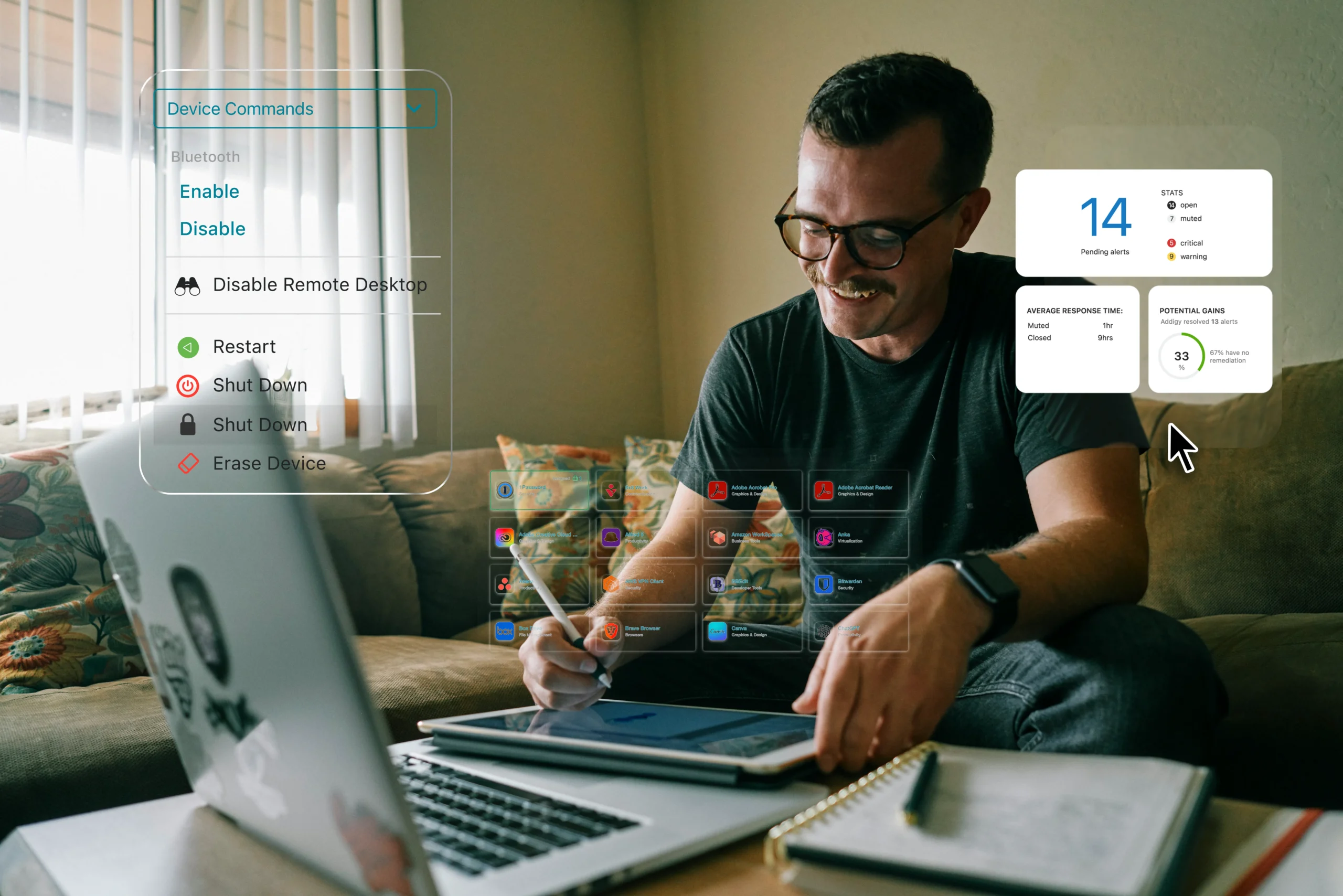
Always-on control. Zero delay.
Live monitoring, real-time alerts, and instant remote access. So issues never have time to escalate.
Free your team from the grind.
Set smart policies and automations to handle the tedious parts of Apple management.
Your standards, automatically enforced.
Apply policies once and let Addigy auto-remediate drift go-forward. Powered by world-trusted SentinelOne.
Built for Apple. Trusted by IT.
















PRODUCT OVERVIEW
Robust Apple management, without the extra effort.
Success Stories
Trusted to relieve the stress from Apple device management.





Features
Explore more ways Addigy
makes your work easier.

Live Control

OS Upgrades & Patching

App Deployment

Automation

Identity

Self Service
Assist

Security & Compliance
Integrations
Work how you want, with the tools you need.

















Addigy is our go-to-market MDM partner!
The transition back to Addigy was much cleaner and more efficient compared to our initial move to Mosyle. The Addigy migration tool really sped things up and improved the overall process.
Frequently Asked Questions
Do I need an Apple Business Manager account to work with Addigy?
No, you do not need Apple Business Manager (ABM) to use Addigy, but ABM is highly recommended for Automated Device Enrollment and supervised device management. Addigy supports manual and BYOD enrollment without ABM, but certain features – like zero‑touch deployment and advanced supervision – will require ABM for full functionality.
What is zero-touch deployment and how does Addigy enable it?
Zero‑touch deployment allows new Apple devices to be provisioned and set up automatically – no IT technician required. With Addigy and ABM, devices are assigned to your MDM server at purchase or via Apple Configurator, ensuring they’re fully configured, apps deployed, and security controls enabled as soon as end users turn them on. Addigy Assist further enhances this process by automating setup steps and branding the onboarding experience.
How does Addigy deliver real-time device management?
Addigy offers live device terminal access, instant commands, and real-time patch and update deployment—no waiting for interval-based syncs. Unlike other MDMs scheduled actions, Addigy ensures true live troubleshooting and immediate remediation.
Can Addigy enforce compliance for CIS, NIST, and other frameworks? Can I customize those benchmarks?
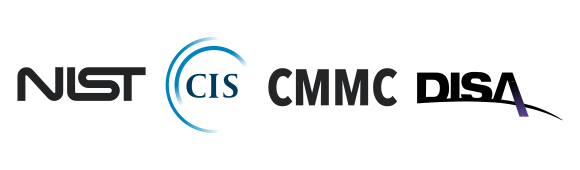
Yes. Addigy lets you deploy and enforce CIS, NIST, CMMC, and DISA STIG compliance benchmarks across your fleet. You can also clone, modify, and tailor security policies for individual groups, locations, or customers, giving you control and audit readiness beyond a “one-size-fits-all” approach.
Does Addigy support multi-tenant management for my MSP?
Addigy is cloud-native and multi-tenant by design. IT teams and MSPs can manage multiple organizations, switch tenants instantly, and centralize policies without workarounds or multiple logins, leading to a level of scalability and efficiency unmatched by other MDMs.
Does Addigy support OS updates via Declarative Device Management (DDM)?
Yes, Addigy supports OS updates via Declarative Device Management (DDM) for Apple devices. When enabled, Addigy allows you to enforce and schedule major and minor system updates on macOS 14+, iOS 17+, and iPadOS 17+ endpoints using DDM rules set in your policies. With DDM, you benefit from enhanced control over update timing, user experience improvements for deferrals and forced installations, and clear reporting on pending or completed updates
For devices not supporting DDM (earlier OS versions), Addigy continues to manage updates through traditional MDM mechanisms.
What options does Addigy offer for identity management and SSO?
Addigy includes user identity management and end-user SSO at no extra charge. Choose from Okta, Azure AD, Google, and other major providers. Unlike platforms that upcharge for identity features, Addigy’s flexible authentication is standard.
What integrations are available with Addigy?
Addigy integrates with major SIEMs, ticketing tools (Zendesk, Autotask, Freshdesk, ConnectWise), and identity providers, plus automates reporting and incident creation. This ensures your Apple management works with the systems your business already trusts – no siloed workflows.
What if I’m already using another MDM?
Addigy streamlines migrations with or without Automated Device Enrollment, rapid device onboarding, and minimal downtime. Our support team assists every step to ensure quick, hands-off transitions so you can switch MDMs confidently, whether from Kandji, Jamf, or legacy options.
If you want real-time visibility into your devices without switching MDMs, you can check out our Amplify product which is compatible with major MDM providers.
What onboarding services are available for my IT team?
Addigy offers free onboarding services for IT teams and MSPs designed to get your Apple devices up and running fast. Receive personalized sessions with an Addigy team member to guide setup, enrollment, and initial configurations.
What onboarding services are available for employees and end users?
For end user onboarding, Addigy Assist delivers an Apple-native, automated onboarding experience with role-based app setup, SSO integration, and custom branding plus real-time progress updates. For more complex needs, premium onboarding packages are also available, providing tailored migration and implementation plans to meet your organization’s goals.
How can I troubleshoot failed MDM commands or check-in delays?
If MDM commands fail or devices experience check-in delays:
- Use Addigy’s live tools to run device audits and refresh data in real time.
- Check for “MDM Client Stuck” indicators; employ community scripts like “Restart MDMClient Service” and “Kickstart Software Updates” if necessary.
- Verify device connectivity, certificate validity, and app/profile status.
- Addigy Agent stays responsive even if macOS MDM services hang, allowing for alternate remediation.
Contact Addigy’s support team for unlimited troubleshooting help.