Rethinking iPad Management: How MSPs Can Own Frontline Apple Device Support
For years iPads have been treated as “nice‑to‑have” accessories at work: executive tablets, conference room companions, or occasional travel devices. That era is over.
Across nearly every sector from education, healthcare, retail, hospitality, and construction, iPad management will become key to MSPs that service frontline workflows, where any misconfigurations or outages will be felt immediately by students, patients, and workers.
The broader tablet and Apple ecosystems have quietly laid the groundwork for this shift. A Counterpoint study recently revealed that Apple’s iPad shipments grew 4% YoY in Q3 2025 with shipments projected to grow around 10% YoY in 2026. Apple continues to dominate the tablet category, with enterprises reporting rising Apple usage across the board. Taken together, we see that iPadOS has become a first‑class platform that every MSP team needs to manage with the same rigor as macOS.
iPad Management is Moving Closer to the Center of IT Work
The most important change is not just that more iPads are being purchased; it’s how they’re being used.
- In education, iPads underpin 1:1 student programs, shared classroom carts, and testing environments, with entire curriculum delivery and assessment workflows running through iPad apps.
- In healthcare, iPads power patient intake, e‑forms, bedside triage, telehealth stations, and clinical reference at the point of care.
- In retail and hospitality, they sit on counters and in hands as point‑of‑sale terminals, mobile ordering tools, product‑lookup devices, and digital signage or kiosk endpoints.
- In field service, they serve as rugged job companions for technicians capturing photos, schematics, signatures, and checklists on construction sites.
These aren’t background endpoints – these are often the devices customers, patients, and students touch first. When app access fails, identity is misapplied, or updates lag, the impact isn’t hidden in a log file; it shows up as a broken checkout lane, a delayed intake, or a missed lesson.
This is why treating iPads as “less critical” than Macs or PCs is no longer defensible. Any device that sits in the main customer or student journey needs the same governance and control as a primary workstation.
External Data: iPad and Tablet Growth at a Glance
Even without digging into any one vendor’s telemetry, external market data clearly confirms the rise of iPad‑centric fleets:
- Tablet shipments are growing again. After a softer period, worldwide tablet shipments returned to growth, with one recent year seeing global tablet shipments increase by more than 20% year over year in a single quarter as refresh cycles and education demand kicked back in.
- Apple continues to lead the tablet market. Across multiple recent quarters, iPad has consistently held around or above 40% of global tablet market share, often shipping roughly twice as many units as its nearest competitor.
- The Apple ecosystem is expanding. Apple has reported that its broader ecosystem (which includes hardware, services, and the App Store) has seen App Store billings and sales more than double compared with levels from the late 2010s, reflecting a significant increase in business and education apps built for iPhone and iPad.
- Enterprises are using more Apple devices. Surveys of large organizations have found that a clear majority report using more Apple devices year over year, and that iPhones and iPads are now present in most sizable corporate environments. The proliferation of Mac devices with younger workers entering the field means that this trend will only continue.
The specifics vary by report, but the directional trend is clear: organizations are adopting more Apple endpoints of all kinds, including iPads in business‑critical roles.
MSPs: Solid iPad Management is Non-negotiable
Although many MSPs still report a dominance of Windows devices in general, the rapid growth of Apple at work is an indicator of where the market is heading, and subsequently what clients will come to expect.
MSPs that increasingly own mobile and tablet governance as part of their core value proposition have an opportunity to stand out in their market.
Clients expect providers to:
- Manage mixed Apple fleets that include Macs, iPhones, and iPads.
- Deliver consistent security baselines and app access across these devices.
- Support frontline iPad use cases like POS, kiosks, and shared devices without sacrificing control.
In practice, this means MSPs need repeatable iPad playbooks—standard enrollment flows, configuration templates, update policies, and reporting—that can be applied across many customer environments. iPadOS cannot be a “one‑off” corner case when your clients rely on iPads to run their stores, classrooms, or clinics.
What industry sectors have the largest iPad fleets?
Sectors like education, healthcare, retail, hospitality, logistics, and field services are becoming heavier iPad operators in their own right. Typical patterns include:
- 1:1 student deployments in K‑12 and higher ed.
- Shared iPad carts in classrooms and testing centers.
- Patient‑facing devices in waiting rooms and exam rooms.
- Store‑floor devices for associates, and self‑service kiosks for customers.
- Field‑ready devices for technicians and inspectors.
In these scenarios, MSPs have to balance scale, usability, and security: devices must be fast and simple for frontline staff, but also fully governed with identity, app, and network policies aligned to organizational standards.
Regardless of industry, the operational reality is the same: iPad management deserves a formal strategy.
iPadOS Management: A First‑Class Endpoint in Apple MDM
Once iPads are acknowledged as core endpoints, the question becomes: what does a mature iPad program actually look like? A solid iPad management strategy hinges on the following key areas.
1. Ownership and Enrollment Strategy
Modern iPad management for MSPs and IT teams goes beyond basic enrollment. To keep frontline workflows stable and support efficient operations at scale, you need tools that can standardize home screens, enforce iOS posture, provide remote screen viewing for support, and give end users a safe self‑service catalog on iPadOS—without adding manual work for your admins.
Start by defining how iPads are owned and enrolled. Decide between corporate‑owned, corporate‑owned personally enabled (COPE), and BYOD for each use case.
Through the release of iOS and iPadOS 16, IT admins now have the ability to connect an iPhone or iPad to Apple Business Manager using Apple Configurator on another iPhone or iPad, eliminating the need for Windows organizations to purchase a Mac.
Getting your organization or a client’s ABM account up and running allows for automated enrollment so devices can consistently receive:
- Baseline configurations.
- Required security controls.
- The right identity context (user‑ or role‑based)
Treat shared and semi‑shared scenarios (classroom carts, kiosks, shared shift devices) as explicit patterns with their own enrollment and sign‑in flows. Learn how to manually enroll iOS/iPadOS into Addigy’s MDM here.
2. Identity‑Bound Access and Least Privilege
- Align iPadOS identity and access with enterprise standards:
- Integrate single sign‑on and modern identity providers so apps and services are tied to users and roles, not just devices.
- Use least‑privilege principles:
- Assign only the apps and permissions needed for each role.
- Keep administrative or sensitive tools off frontline devices unless truly required.
Ensure that when people change roles or leave, access is revoked universally—on iPadOS as well as on macOS and other platforms.
3. Shared, Semi‑Shared, and 1:1 Patterns
Each usage pattern needs its own design.
For 1:1 devices (ex: students, field techs):
- Standardize on a baseline profile for security, Wi‑Fi, and core apps.
- Offer a curated Self Service experience on iPadOS so users can install pre‑approved apps themselves. This reduces admin workload, keeps you out of one‑off install requests, and avoids side loaded or shadow IT apps.
And when something still goes wrong, remote screen viewing becomes critical. With Addigy’s Splashtop integration, admins can initiate secure screen‑sharing sessions on iOS and iPadOS, see exactly what the user sees, and walk them through a fix in real time—without guessing from screenshots or trying to reproduce the issue on a test device.
For a quick look at how this works in practice, check out the short Splashtop SOS demo video embedded here: https://addigy.com/wp-content/uploads/2024/09/240905-Splashtop-SOS-Demo-blog-MKT-410.mp4
For shared devices (classroom carts, nursing stations, loaners):
- Consider kiosk mode or single‑app modes where appropriate.
- Use managed home screen layouts and restrictions so every shared iPad looks the same (only the approved apps in the right order) guiding users into the intended workflow and cutting down ‘where is that app?’ tickets.
- Implement simple sign‑in or session‑reset patterns to avoid data leakage between users.
Public‑facing kiosks and point-of-sale (POS) devices:
- Lock devices to one or a small set of apps.
- Disable access to settings or the general home screen, and take care to allow or block apps.
- Monitor these devices closely for uptime and connectivity, since they directly affect revenue and customer experience.
4. iOS compliance and automated remediation
Once iPads are in the field, you need a simple way to see which devices drift from policy, and fix issues automatically. A strong iPad management approach gives you:
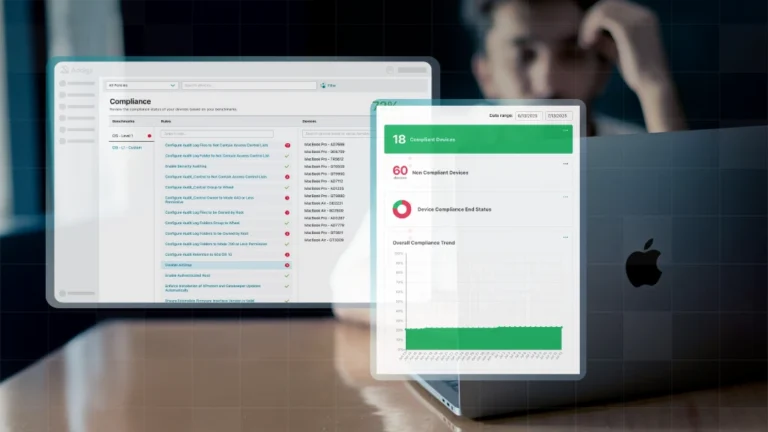
- Clear compliance posture for iOS and iPadOS (encryption, OS version, passcode, critical apps) surfaced in one view.
- Automated remediation actions when devices fall out of policy, such as pushing a required profile, enforcing a passcode, or scheduling an OS update.
This turns compliance from a reactive “ticket factory” into a proactive, policy‑driven safety net.
5. Updates, Patching, and SLAs
iPads need explicit update and patch expectations, not “best effort” handling. Define SLAs for:
- OS updates (e.g., major updates within a defined time frame, security patches more quickly).
- Critical app updates, especially for customer‑facing, regulatory, or safety‑related apps.
Coordinate update windows with the business:
- Education: breaks, off‑hours, or testing gaps.
- Retail/hospitality: low‑traffic periods or scheduled maintenance windows.
- Healthcare: change‑control windows with clear rollback plans.
Use reporting and alerting to catch devices that lag behind on OS or app versions before they become security or reliability risks.
How MSPs can price iPad management services (even for small fleets)
Even when clients only have a handful of iPads, there is still room for healthy margin if you package iPad management correctly.
Use a simple per‑device add‑on
Most MSPs price mobile and tablet management as an add‑on to their core endpoint bundle, typically at roughly half of a managed PC rate per device. Industry discussions put MDM management for phones and tablets in the 15–25 USD per device per month range on the service side, with underlying MDM tools usually costing only a few dollars per device. This lets you keep pricing easy to explain while protecting margin on even 5–20 device fleets.
Bundle iPad into a “frontline” or “store/classroom” package
Instead of selling iPad management à la carte, wrap it into a small “frontline device” bundle that includes: iPad management, Wi‑Fi and network policy, and basic support for the POS, kiosk, or classroom apps. This helps you avoid haggling over a tiny device count and aligns pricing with business value (keeping the register open or the classroom running).
Set minimums, then scale per device
For very small fleets, establish a reasonable monthly minimum (for example, the equivalent of 5 devices) and then a per‑device rate above that. This keeps the engagement worthwhile for your team while giving the client a clear path to add more iPads without revisiting the contract each time. Common MSP models use this approach across managed services, and it translates well to iPad management.
What strong iPad management looks like
- Consistent home screen layouts and kiosk modes that keep users inside the right workflow.
- Clear iOS/iPadOS compliance posture with automated remediation when devices drift.
- Remote screen viewing for iPadOS so support teams provide quality support and troubleshoot faster.
- Self Service on iPadOS to offload routine app installs while staying within an approved catalog.
- Modern enrollment flows, including Enrollment SSO and BYOD‑friendly options, so every iPad gets the right policies without the extra steps.
Move iPad Management from Blind Spot to Best‑Managed
When organizations treat iPads as side‑door devices, they become blind spots: barely monitored, inconsistently configured, and often running outdated apps or OS versions right where they are most visible to users. When iPadOS is treated as a first‑class platform—aligned with macOS and other managed endpoints—the dynamic flips.
A mature iPad program gives MSPs:
- High visibility into device posture and compliance
- Strong control over apps, network access, and usage modes
- Confidence that frontline workflows are secure, consistent, and resilient
That is the opportunity in the rise of iPad fleets: not just more devices to manage, but a chance to turn some of the most critical endpoints in your organization into the best‑managed ones you operate.
If iPads are now mission‑critical for you or your clients, your iPad management approach has to be just as serious. Specialized Apple MDMs like Addigy give MSPs the multi-tenancy control, automation, and visibility that generalist tools struggle to match.