Declaration Configuration Objects
Apple has been working on expanding Declarative Device Management for the last few OS releases. With OS 26 and up and now the OS 26.4 release this month Apple has really expanded the offering of features managed via Declarations.
With that, Apple is modernizing how we manage devices — shifting from a system where servers tell devices what to do, to one where the devices manage themselves more intelligently. Addigy is now giving IT managers and MSPs a native, easy way to take advantage of that within the tools they already use side by side with the MDM Profiles they have always used.
You can now access native Declaration Configuration Objects in the Device Settings Catalog, and they can be created in the Catalog Device Settings -> New (button) -> New Device Settings. Once added to the Catalog they can be deployed to OS 26 and up devices via a Policy deployment or directly to a device via GoLive -> Device Settings -> Available Device Settings. You can learn more about the technical deployment of these new Device Settings in the KB here.
What DDM updates mean for IT Managers and MSPs
In practical terms: instead of only being able to push old-style MDM profiles (the legacy approach), admins can now also push these newer, smarter Declaration-based settings to devices running OS 26 and above.
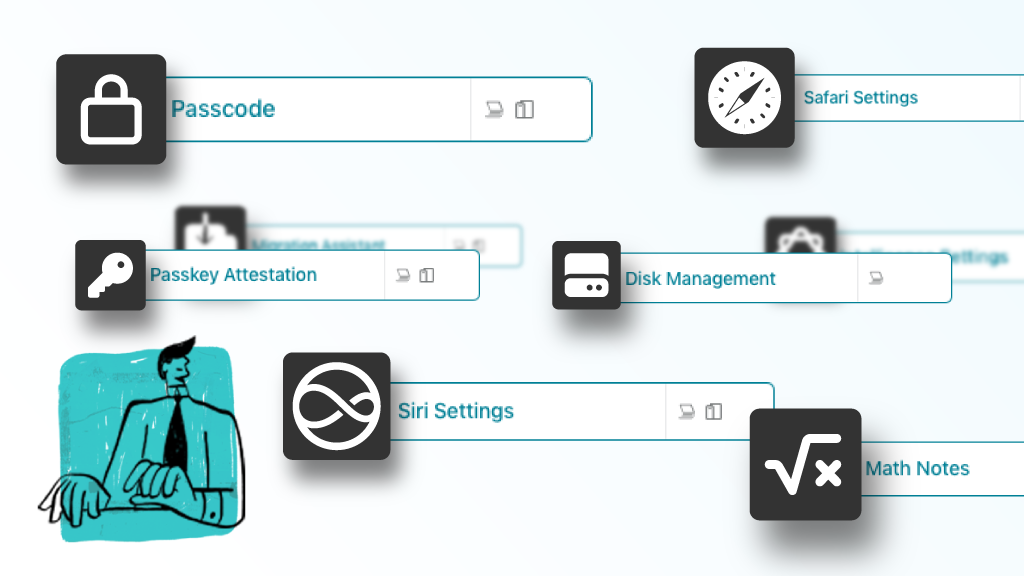
The specific things you can now manage this way include settings for:
- Passcodes
- Safari (bookmarks, extensions, app behavior)
- Security (Passkey Attestation)
- Storage restrictions
- Apple Intelligence features
- Keyboard, Migration Assistant, and more (on OS 26.4+)
Why Does This Matter to IT Managers and MSPs?
Here’s the practical takeaway for anyone managing dozens or hundreds of Apple clients:
1. Your existing profiles aren’t broken. Old MDM profiles still work. Nothing is being ripped out. This is purely additive.
2. You now have a choice on overlapping settings. For things like passcode policies that exist in both the old and new world, you can stick with what you have or migrate to the Declaration approach. The new approach is where Apple is investing future features, so there’s a long-term advantage to adopting it.
3. Devices are more self-sufficient. Declarative Device Management gives organizations more confidence that devices are in the desired state and that essential data is kept secure, without worrying about removable MDM Profiles or features being left unmanaged that Profiles do not cover in newer OSes
4. Apple is clearly moving this direction. Apple describes Declarations as a “transformative update” to the existing MDM protocol that allows devices to act proactively and autonomously.
Apple is future-proofing device management while keeping the lights on for everything that already works, and Addigy is right there with admins to ensure end users are managed and set up to do their best work.
MDM Profiles are going to continue to exist in the Addigy platform, but as Apple adds more and more feature management via Declaration Configuration Objects. Addigy will work to ensure those are in the Device Settings section of the catalog to ensure that your Apple devices are set up best to manage and empower your end users to do their best work.
Existing MDM Profiles carry forward untouched. However, for settings that now exist as both a Declaration and a Legacy Profile (like Passcode policies, for example), admins have a choice — stick with the MDM Profile approach or utilize the new to the native Declaration for added benefits down the road as Apple could add new functionality.
The Bottom Line
Declaration Configuration Objects represent a smarter, more resilient way to manage Apple devices at scale. Addigy’s native support for these objects in the Device Settings Catalog means IT managers and MSPs can take advantage of this shift today, without disrupting anything that’s already working.
Ready to explore Declaration Configuration Objects in Addigy? Learn more here before you jump to Device Settings Catalog