It’s 10 p.m. Do you know where your OS Upgrades are? How to Use Status Channel to Monitor, Troubleshoot, and Confirm OS Upgrades and Updates
Similar to the old PSA “It’s 10 p.m. Do you know where your children are?” — Apple admins know there’s an analogous version: “It’s OS Upgrade time. Do you know if your updates have been installed?”
It’s OS upgrade season again, and for Apple device administrators, one of the most important tools in the toolbox isn’t just what you deploy in your policy — it’s understanding where devices actually stand once that update reaches the device side. Deploying an update and knowing what happened to it afterward are two very different things, and closing that gap is what separates a smooth upgrade season from a season of one-off troubleshooting.
The Status Channel: A Window Into the Device Side
One of the newer capabilities that comes with declarative device management (DDM) is the Status Channel. It’s a channel that a device management service can subscribe to in order to receive updates directly from devices. For OS updates specifically, the Status Channel reports on the state of the software update service on each device: what’s currently being downloaded, whether the download has finished, whether the update has been unpacked, and what the installation state is.
Just as importantly, the Status Channel reports when any of those steps fail — and why. The software update service will tell you if a download failed because the network connection was unstable or lost. It will tell you if a portable device’s battery wasn’t charged enough to attempt the install — the device won’t proceed unless it’s confident the install can complete. It can also tell you whether a device doesn’t have enough free space, or whether the end user simply hasn’t entered their password, so the authenticated reboot that follows an OS update or upgrade can take place.
Understanding these states matters because it lets you find the root cause. Instead of guessing why a device hasn’t updated, you know exactly which stage it stalled at and what condition blocked it.
Addigy’s New Status Channel Dashboard
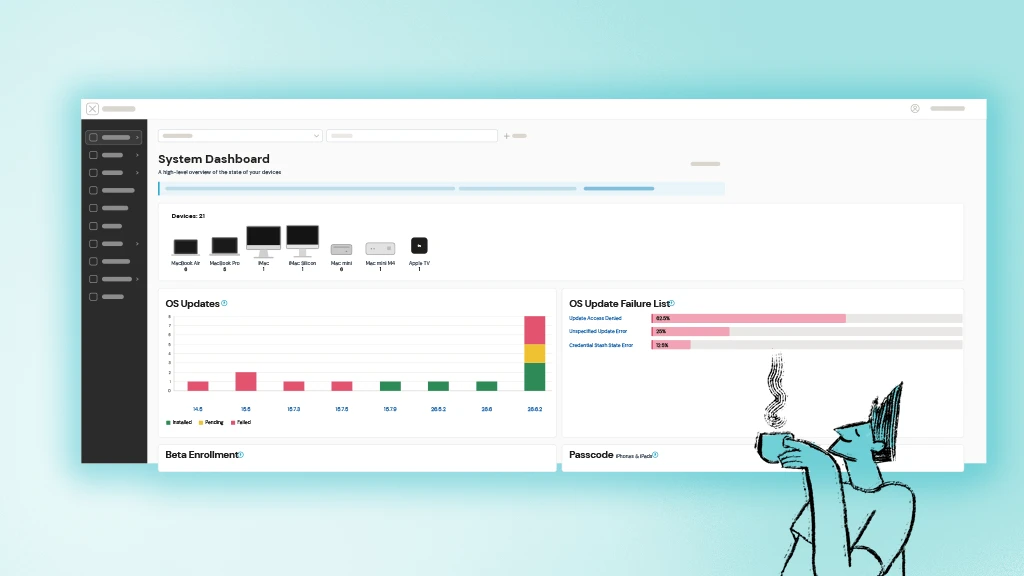
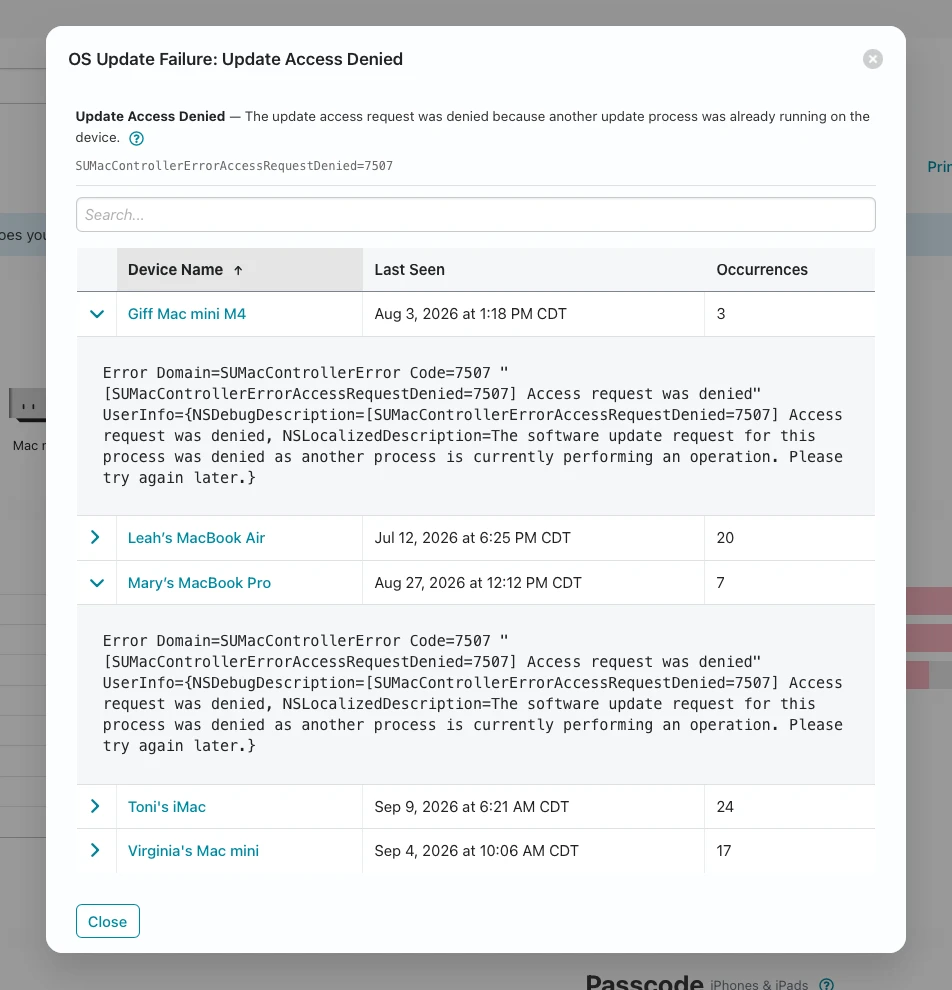
Addigy has been working on a new feature that puts all of this to use: a dashboard for the Status Channel. It takes the data Addigy subscribes to as your device management service and turns it into a visualization. From there, you can break the data down per policy, per device group, and per device OS version to see what state those devices are in and where they are in the installation process.
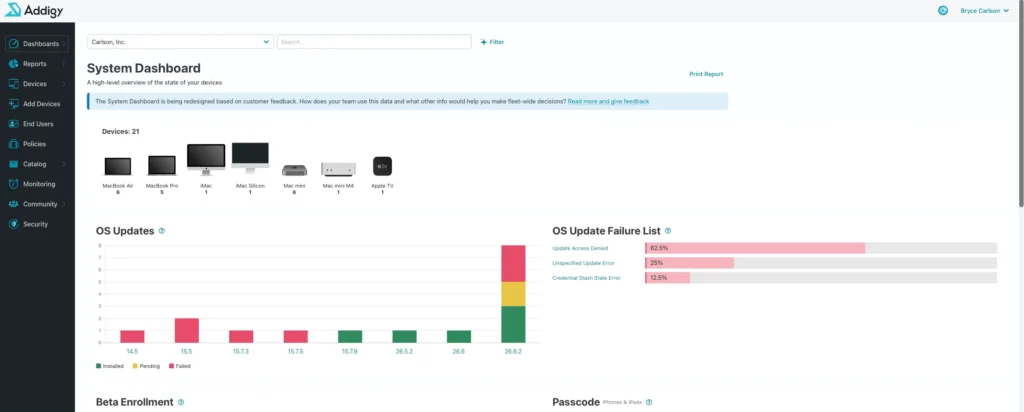
When there are failures, the dashboard breaks things out further by type of failure and by the devices that experienced it. That means you can zero in on root cause and figure out why those devices didn’t complete the update, then go about finding a solution, resetting devices, or getting them into a fixed state so the OS update can install.
An API Endpoint for Automation
Not every team wants to consume this data through a dashboard, and Addigy has accounted for that too. Alongside the visual dashboard, there’s also an API endpoint. You can subscribe to it or periodically pull from it at a per-policy or per-organization level, and you’ll get back an array of devices showing which are failing, which are succeeding, and what each device’s state is.
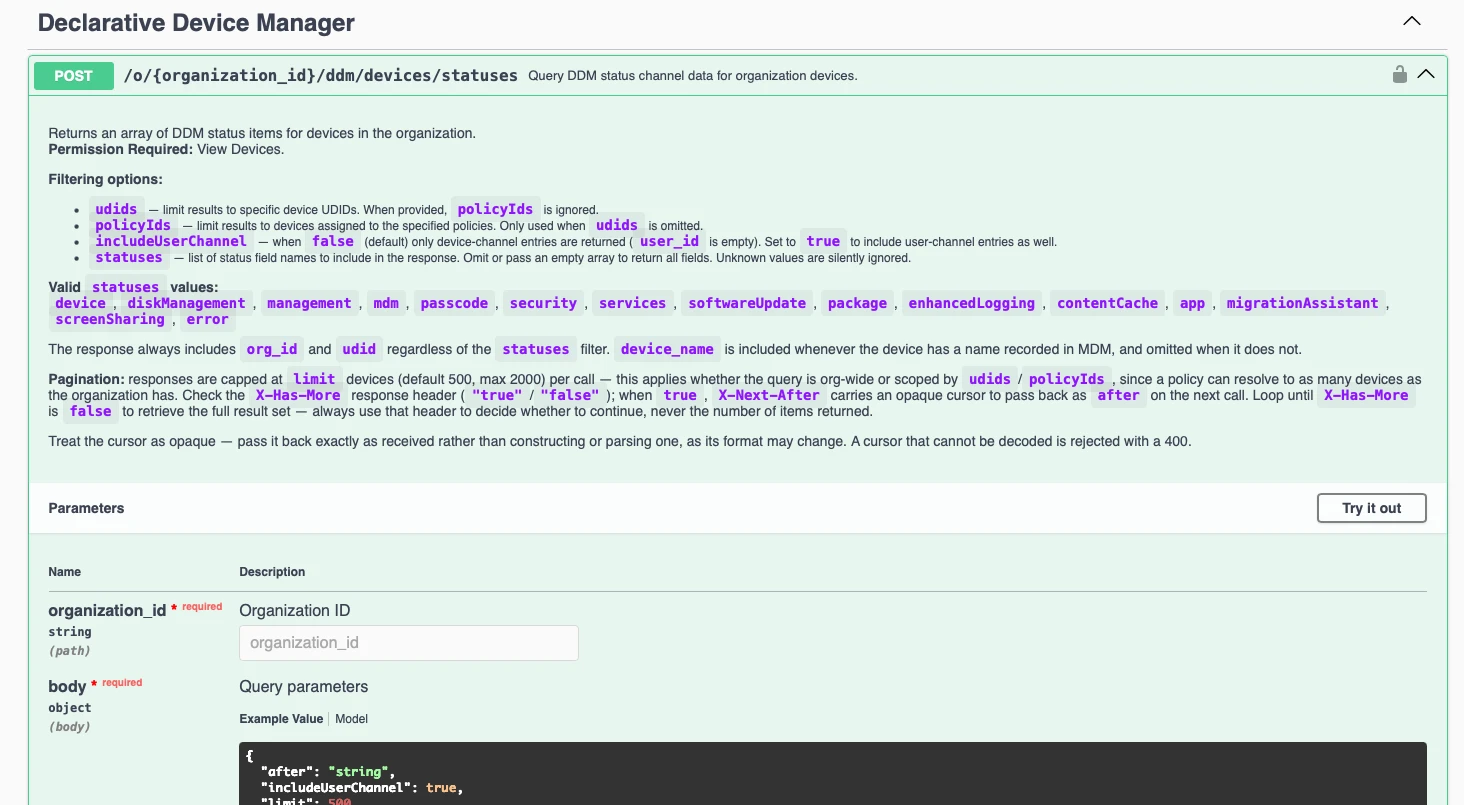
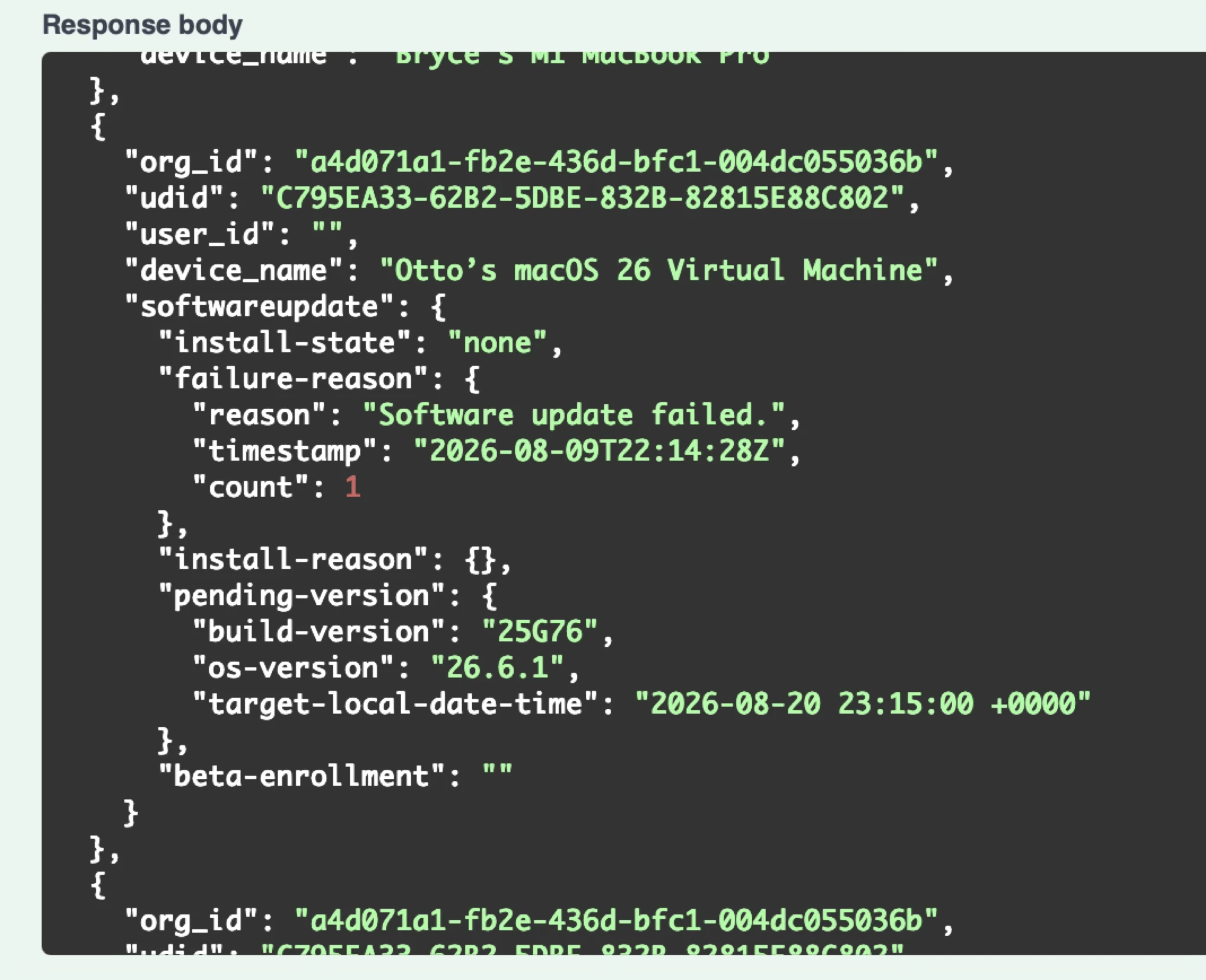
This opens the door to automation. You can monitor for keywords or specific conditions and trigger actions or support tickets automatically, so your team can respond to failures and get those OS updates installed without waiting for someone to notice a problem manually.
A World Away From the Old Days
All of this represents a huge change from the old way of doing things: going device by device and figuring out individually what was wrong with each one. With the Status Channel, Addigy’s dashboard, and the API endpoint, Apple admins now have fleet-wide visibility into the real state of OS updates — where devices are in the process, why they’re failing, and what it will take to get them across the finish line.
This OS upgrade season, that visibility isn’t just convenient. It’s the difference between reacting to problems one machine at a time and managing your entire fleet with confidence.
If you want to see your fleet’s real update status today – request a demo and we’ll show you around Addigy.