What Is VPP? Apple’s Volume Purchase Program Explained for IT Managers & MSPs
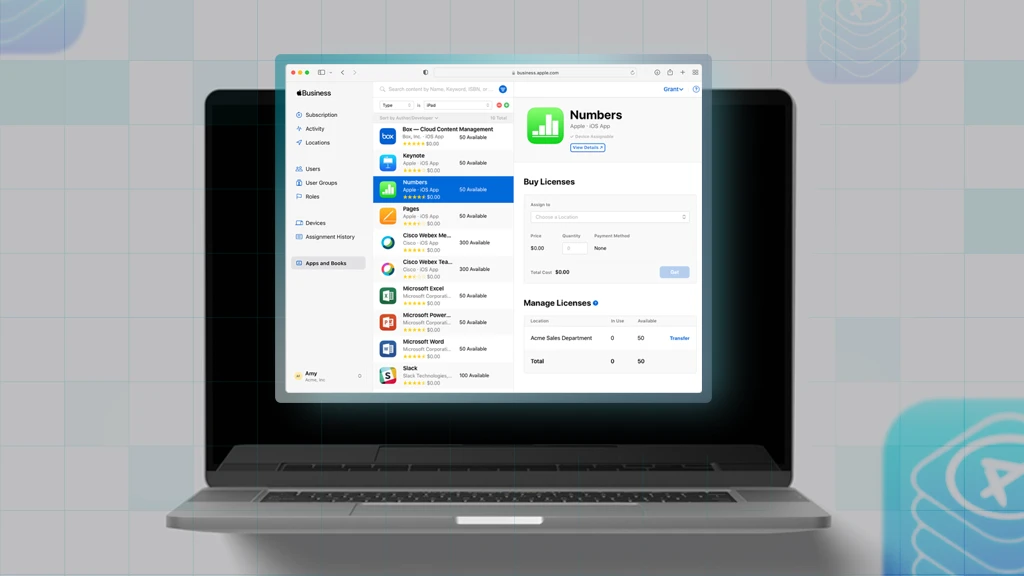
Apple’s Volume Purchase Program (VPP), now called Apps & Books, lets organizations buy and distribute apps and books in bulk to iPhone, iPad, and Mac devices, and its core functionality now lives on in Apple Business Manager (ABM) and Apple School Manager (ASM). For IT managers and MSPs, understanding how “VPP” evolved into the Apps and Books model in ABM is essential for secure, scalable app distribution across modern Apple fleets.
What Is VPP in the Apple Ecosystem?
Apple’s Volume Purchase Program (VPP) was designed so organizations could centrally purchase and manage licenses for App Store apps and iBooks, rather than relying on end users to buy and install software themselves.
For IT teams and MSPs, Apple VPP primarily solved three problems:
- Centralized purchasing: Finance or IT could buy app licenses in bulk and distribute them where needed, instead of reimbursing users individually.
- Granted tighter licensing control: Licenses could be revoked and reassigned when employees changed roles, left the company, or devices were repurposed.
- Integrated with MDM for bulk distribution: VPP connected to mobile device management (MDM) platforms so apps could be silently deployed and managed at scale.
While Apple has retired VPP as a standalone portal, its features have effectively moved into ABM/ASM under the Apps and Books section. Despite the shift, many admins still use the shorthand “VPP” when describing the process of buying and distributing Apps & Books.
From VPP to Apple Business Manager: What Changed (and What Didn’t)
For IT leaders and MSPs, the takeaway is simple: “VPP” as a terminology and portal is gone, but VPP as a concept is now the Apps and Books workflow in ABM/ASM.
Apple Business Manager consolidates what used to be separate programs—Device Enrollment Program (DEP now known as Automated Device Enrollment or ADE) and VPP—into a single web-based portal for managing Apple IDs, devices, and content across an organization.
What changed when VPP moved into ABM:
- One portal instead of two: Enrollment, device assignment, app/books purchasing, and role management all happen in ABM/ASM.
- Location-based structure: Organizations can segment app licenses by location (departments, regions, subsidiaries, or clients) for cleaner separation.
- Consolidated token management: Instead of managing tokens in different places and different Apple IDs , you now download location-based content tokens from ABM/ASM to connect to your MDM – regardless of what Apple ID creates them.
What stayed the same conceptually:
- Buy apps and books in bulk: You still acquire licenses centrally for paid and free apps.
- Distribute licenses via MDM: MDM remains the control plane for assignment, silent install, and revocation.
- Reclaim and reassign licenses: Licenses can move between users/devices as you redeploy hardware or change roles.
Why VPP/ABM Matters to IT Managers and MSPs
If you manage hundreds or thousands of Apple devices—or multiple Apple fleets as an MSP—using VPP/ABM workflows is no longer optional; it is fundamental to operating at scale.
Key benefits of Apps & Books for internal IT teams:
- Standardized your app stack: Define baseline app sets per role, department, or region and have the power to push them automatically through your MDM provider.
- Reduced manual labor: No more hand-installing apps or relying on users to visit the App Store; assignments and updates can be automated.
- Stronger governance: You now have central control over what’s being installed, how it’s licensed, and when access is revoked.
Key benefits of Apps & Books for MSPs:
- Repeatable service offerings: You can package ABM setup as a standardized onboarding project for new clients.
- Efficient multi-tenant operations: With well-designed locations and tokens, your team can support many customers without reinventing the wheel every time.
- Clear value story: “Our control of licenses means we reduce risk, and ensure every device has the right, compliant app stack” is an easy story for clients to understand.
Designing Your App Distribution Model with ABM and VPP Concepts
Before you buy a single license, define how you want app distribution to work across your organization—or across your MSP customer base.
Consider:
- Locations and structure: Map ABM locations to departments, business units, regions, or individual customers (for MSPs). This determines how licenses are grouped and delegated.
- Roles and permissions in your MDM: Decide who can purchase apps, who can manage locations, and who can integrate with MDM to enforce least privilege.
- App catalogs – define:
- Global baseline apps for everyone
- Role-specific apps (sales, engineering, frontline)
- Customer-specific or site-specific apps for MSP clients
- Governance policies: Document which categories of apps are allowed, how exceptions are handled, and how license usage is reviewed.
A bit of upfront thinking here saves a lot of pain down the road when you need to troubleshoot, audit, or migrate later.
How to Purchase and Manage Licenses at Scale
Once your structure is defined, the Apps and Books workflow in ABM/ASM gives you a consistent way to purchase and manage licenses.
Typical process:
- Select the correct location: Choose the department, region, or customer tenant where licenses should live.
- Search for apps or books: Look up the required App Store apps or custom B2B apps and specify the quantity. You can also acquire licenses for free apps to manage them centrally.
- Choose payment method: Depending on region and setup, use credit card, purchase orders via Apple, or other supported payment methods.
- Confirm licensing model: Most modern workflows use managed distribution, which allows revocation and reassignment of licenses.
- Sync with your MDM: After purchase, your MDM syncs with ABM/ASM and pulls in the new licenses for assignment. Note however, that your licensing token needs to be renewed yearly.
Ongoing management involves monitoring usage, reclaiming licenses from offboarded users, and adjusting quantities as teams grow or shrink.
License Assignment Options in ABM (with MSP Scenarios)
These two main assignment options map well to different deployment scenarios.
Device-based assignment
- Best for:
- Shared devices (kiosks, point-of-sale, shared carts)
- Frontline or shift-based workstations
- Characteristics:
- No personal Apple ID required on the device
- License is tied to the device; when you wipe and redeploy, you can keep using the same license on that hardware
- For MSPs:
- Ideal for retail, hospitality, or healthcare clients with shared iPads or shared Macs
User-based assignment
- Best for:
- Books
- Account Driven User Enrolled Devices
- Characteristics:
- License follows the user’s Apple ID or managed Apple ID across devices
- When the user leaves, you revoke the license and reassign it
- Note: User-based book licenses are non revocable and cannot be redistributed from the Apple ID.
- For MSPs:
- Works well for customers with BYOD policies.
Note: VPP codes have been decommissioned as of 2023 in favor of more advanced distribution methods.
MDM and ABM Integration: Architecture for IT and MSPs
The real power of Apple Apps and Books concepts comes from tight integration between ABM and your MDM platform.
At a high level, the architecture looks like:
- ABM/ASM
- Manages identities, locations, and app/book licenses
- Provides location-based content tokens (sometimes referred to as legacy library tokens in older docs)
- MDM
- Connects to ABM using those tokens
- Syncs app catalogs and license counts
- Assigns apps to devices and users, enforces install/update policies
Key operational details for IT and MSP teams:
- Tokens per location
Each ABM location has its own token, which must be uploaded into the corresponding MDM tenant or context. - Token renewal
Tokens expire periodically; if they’re not renewed and updated in the MDM, license sync and deployment can break. - Multi-tenant strategies for MSPs
Decide whether you:
- Use separate MDM tenants per customer, each with its own ABM location and token
- Use a single MDM tenant with logical segmentation and multiple ABM locations mapped to different client groups
Documenting these patterns makes onboarding new admins and customers far easier.
Operational Runbook: VPP/ABM for Multi-Tenant MSPs
To turn this into a repeatable service, build a standard runbook your team follows for every Apple customer.
Key steps:
- Discovery
- Confirm whether the customer already has ABM/ASM
- Audit existing VPP/ABM structures, locations, and MDM integrations
- Design
- Propose a clean ABM location model aligned to their org or to your MSP multi-tenant model
- Define app catalogs and policies per role or site
- Implementation
- Create or adjust ABM locations and roles
- Purchase or transfer app licenses into the right locations
- Generate and upload tokens into the proper MDM tenant/contexts
- Configure device and user groups, and app assignment policies
- Testing and rollout
- Pilot with a small group of devices/users
- Validate silent installs, updates, and revocations
- Expand to full production once stable
- Ongoing operations
- Monitor license utilization and token expiry
- Regularly review app catalogs and retire unused apps
- Include VPP/ABM checks in your standard health reports for clients
This is where your MSP can differentiate: not just “we set up MDM,” but “we continuously manage your Apple licenses, apps, and compliance posture.”
Getting Started with ABM
Whether you’re migrating from an existing ABM/ASM or starting fresh, a phased approach keeps risk low.
If you have existing ABM/ASM:
- Inventory existing locations and tokens
- Map legacy app licenses to new locations
- Retire any unused Applications to a separate retirement location
If you’re just getting started:
- Create your ABM/ASM account and verify your organization
- Define locations and admin roles with least privilege
- Integrate with your MDM and test with a few devices
- Gradually standardize all new deployments on ABM-based Apps and Books
Want a 2 minute breakdown of what VPP is? Checkout our Apple MDM In The Field Guide.
Want more Apple setup tips and best practices? Download the free Apple MDM Starter Kit.