
Real-Time Alerts & Monitoring
Get ahead of Apple issues, before they turn into downtime.
Powerful infrastructure gives you advanced warning before problems occur—plus the tools to resolve them automatically.
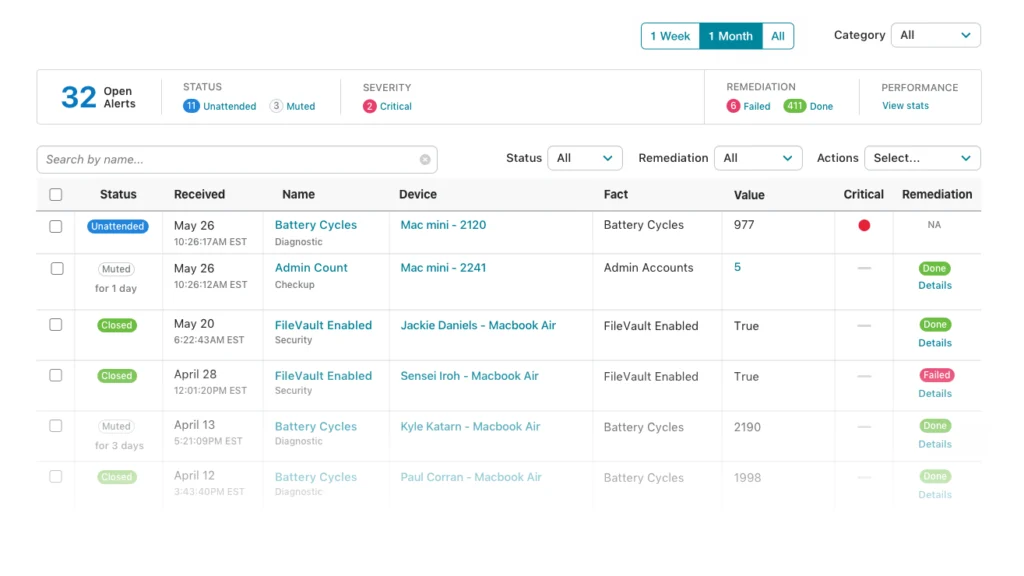
100+ prebuilt metrics, plus your own custom ones.
Addigy can monitor over 100 Apple-specific device metrics in real time — watching every device, alerting you to issues before users notice, and even fixing problems for you.
Wath for Performance & security Issues
See issues before users feel them.
Fix them before they escalate.
- Monitor security problems, device performance issues, and other productivity-impacting factors
- Recommended monitoring for best practices and fast setup
- Create custom alerts, like “Antivirus Removed?”
Automated Remediation
Let Addigy fix issues immediately instead of letting them going unnoticed. Your employees will have less downtime, and you’ll be free for more important tasks.
Ticketing system integration
A complete ticket trail with zero extra clicks.
- Automatically create a ticket in your preferred platform when an alert is triggered
- Seamlessly fits into your existing IT workflow
- If the issue is resolved through automation, the ticket is closed automatically
Help desk management
Visibility where your team needs it most.
- See device health, user details, and recent alerts directly from every ticket for faster triage
- Surface the right automation and remediation steps inside your help desk.
- Track outcomes and resolution history across devices, users, and teams to continuously improve support.
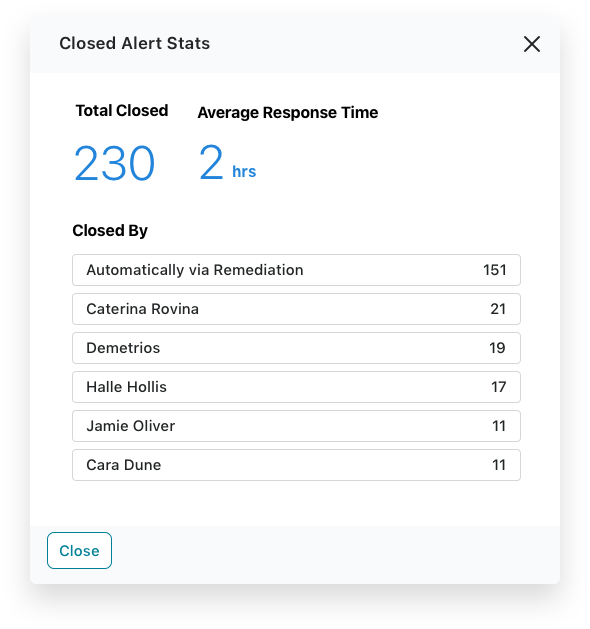





Real-time monitoring for real IT teams
14 Days. All features. No commitment.Frequently Asked Questions
How does Addigy Apple MDM automate device monitoring and issue remediation?
Addigy’s Apple device management platform automatically monitors each device for security, compliance, and health issues. When a problem is detected, automated remediation can resolve it instantly—with alerts, tickets, and executive dashboards keeping you informed in real time.
Can Addigy automate routine IT tasks across all managed Apple devices?
Yes. Addigy supports policy-driven automation—automatically running scripts, maintenance tasks, patching, and security updates on schedule, so IT can eliminate manual repetitive work and maintain compliance.
Does Addigy’s monitoring integrate with ticketing platforms?
Yes. Addigy integrates with popular ticketing tools so every alert can generate a ticket, and successful automated fixes will close tickets automatically, delivering a smooth workflow for IT and support teams.
Can Addigy automatically open and close support tickets based on device health alerts?
Yes. Addigy integrates with Zendesk, Autotask, ConnectWise, Freshdesk, and Halo so that alerts automatically generate tickets — and when automated remediation resolves the issue, the ticket closes itself. This end-to-end automation is particularly valuable for MSPs managing multiple clients, reducing manual ticket hygiene across tenants.
How does Addigy's real-time monitoring differ from Jamf's or Iru's interval-based device check-ins?
Addigy’s agent delivers live device telemetry and runs automated remediation the moment an issue is detected — no waiting for a scheduled sync. Jamf and Iru rely on periodic check-ins, meaning there can be a meaningful window between a problem occurring and IT being notified or a fix being applied. For security incidents or compliance drift, that delay matters.