9 Reasons IT Teams Switch to a New MDM (and Why Apple‑First Matters)
Your Mac MDM or Apple MDM platform is the control plane for every managed Mac, iPhone, iPad, and beyond. But as Apple ships new versions of macOS, iOS, and iPadOS faster each year, many IT teams discover that their legacy Apple device management solution simply can’t keep up. Plus, with Apple now making it easier than ever to migrate, it’s a good a time as ever to consider a move now that can support you as you scale.
In this guide, we’ll walk through 9 clear reasons why IT professionals and MSPs decide it’s time to switch MDM providers, and what to look for in a modern, Apple‑first MDM when you do.
- You’re paying too much for too little
Older Mac MDM and cross‑platform tools often lock you into rigid contracts, per‑device minimums, or bundles that no longer match how your Apple fleet actually works. At the same time, you may still be missing key Apple‑specific capabilities, forcing admins to build workarounds or stack extra tools on top.
A modern MDM should offer flexible pricing that aligns with your device mix and growth, while consolidating core Apple workflows (deployment, patching, compliance, remote support) into a single platform. The moment your team starts tracking “shadow” costs—manual scripts, lost time, bolt‑on tools—it’s a sign your current MDM is holding you back, not saving you money. - Security and compliance are too hard to prove
Cyber threats, ransomware, and regulatory pressure have all increased, but many legacy MDMs still treat Apple security as an afterthought. If it’s painful to prove which Macs meet baseline controls or to confirm encryption and OS versions, your MDM is creating risk instead of reducing it.
A modern Apple‑first MDM gives you real‑time visibility plus opinionated baselines mapped to standards like NIST and CIS for macOS. When security and compliance teams can answer “Are we covered?” in minutes instead of days, you unlock faster audits—and fewer late‑night fire drills. - You’re constantly behind on Apple OS updates
Apple is shipping OS releases and point updates faster every year, and generic Mac MDM tools often lag in supporting the latest macOS and iOS management frameworks and payloads. That lag can translate into broken workflows, devices stuck on old versions, or hurried scripts to fill the gaps.
An Apple‑first platform should be ready on day one for major macOS, iOS, and iPadOS releases, and increasingly for Declarative Device Management (DDM)‑driven features and OS updates. When your MDM keeps pace with Apple’s roadmap, you can say “yes” to security patches and new features without wondering what will break. - Device management doesn’t feel truly real‑time
If your Apple MDM still feels “batch‑based”—Macs and iPhones checking in only a few times a day, delayed compliance views, commands that sit pending—you’re operating with stale data. That makes it hard to troubleshoot incidents, validate changes, or support remote users who need help right now.
Modern Apple‑first MDMs emphasize real‑time monitoring and remediation: live views of device state, fast command execution, and health checks that confirm MDM profiles and agents are still working as expected. This kind of responsiveness fundamentally changes the support experience for both IT and end users. - Admin workflows and UX slow your team down
Clunky, generic UIs and multi‑step configuration flows waste time and introduce mistakes, especially when you manage thousands of Macs and iOS devices. If new admins need weeks of training just to ship a simple configuration, your MDM is slowing down the business.
A modern Apple‑first MDM gives IT a clean, Apple‑aware admin experience—policy‑driven workflows, reusable scripts, smart groups, and dashboards that surface what actually needs attention. When your platform feels intuitive, you ship changes faster and onboard new teammates more confidently. - Integrations and automation hit a wall
Your MDM does not live in a vacuum—it needs to integrate with identity providers, ticketing systems, RMM tools, SIEM/SOAR platforms, and more, with ease. Many older vendors offer only limited integrations or brittle APIs, forcing you to maintain complex glue in the middle.
Switching to a modern platform with strong API coverage, webhooks, and native integrations (for example with IdPs and MSP tooling) lets you automate routine tasks end‑to‑end. That means fewer swivel‑chair workflows and better, more consistent experiences for users and customers. - Scaling Apple across locations and teams is painful
As Apple adoption grows in enterprises and MSP customer bases, some MDMs struggle to scale cleanly: performance issues, confusing multi‑tenant management, and brittle role‑based access controls are common symptoms. When adding a new site, team, or client feels risky, you’ve outgrown your platform.
An Apple‑first MDM should make it straightforward to onboard new locations or customers, segment environments, and delegate the right level of access to the right admins. The platform should grow with your fleet—without needing a redesign every time your company or client list expands. - Support and partnership are not where they need to be
When something breaks, you find out how strong your MDM partner really is. Long response times, shallow Apple expertise, or support that simply points you back to documentation are all signs it may be time to move on.
Modern, Apple‑focused vendors invest in responsive support, customer success, and a roadmap that reflects real‑world feedback from IT admins and MSPs. You should feel like you have a partner who understands Apple management deeply—not just a ticket system. - You’re ready to move from “keeping the lights on” to strategic IT management
Many teams reach a point where their current MDM is “good enough” for basic tasks but not for the strategic work leadership expects: zero‑touch onboarding, standardized security baselines, faster audits, and better user experiences. If your admins spend most of their time fighting the tool instead of evolving your Apple program, that’s a strategic cost.
Switching to an Apple‑first MDM helps you reclaim time for higher‑value work—improving security posture, refining fleet standards, optimizing licensing, and supporting new business initiatives. The right platform becomes a force multiplier for your team, not just another console.
Apple’s MDM migration features make switching safer
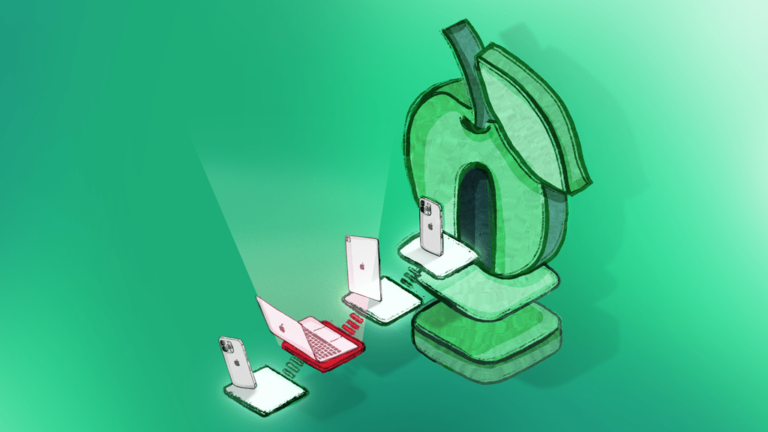
For a long time, switching Mac or Apple MDM vendors meant planning around wipes, user disruption, and tedious re‑enrollment—that’s a big reason many teams felt locked in even when they’d outgrown a platform. Apple has started to change that equation with new migration capabilities that dramatically reduce the pain of moving between MDM servers.
- Apple Business Manager and Apple School Manager now support Management Migration, allowing admins to schedule moves to a new MDM server without factory resetting every supervised device.
- Recent Apple platform updates introduce seamless device management service migration, which lets you move iPhone, iPad, Mac, and even Vision Pro to a new provider while preserving apps and data when the new MDM pushes them before setup completes.
- These changes significantly reduce vendor lock‑in, giving IT more leverage to choose the right Mac MDM based on capabilities, not just migration pain.
If you want to go deeper on these trends, it’s worth reading independent coverage from the broader Apple admin community—for example, Computerworld’s overview of how Apple is simplifying MDM migration and GadgetHacks’ breakdown of how new migration features end vendor lock‑in.
What to look for in your next Apple‑first MDM
If several of these reasons resonate, it’s time to seriously evaluate a modern Mac MDM that’s built Apple‑first and ready for this new era of easier Apple MDM migration.
As you compare options, prioritize solutions that:
- Support the latest macOS, iOS, and iPadOS releases and DDM capabilities.
- Provide real‑time visibility, healthy agent/MDM monitoring, and fast remediation workflows.
- Map Apple security controls to recognizable standards (such as NIST and CIS) with built‑in reporting.
- Offer a migration‑friendly approach so you can move devices without disrupting Wi‑Fi, certificates, or users.
Next step: Explore how an Apple‑first platform like Addigy can help you switch Mac MDM providers with confidence—using real‑time controls, DDM‑ready features, and migration‑friendly workflows designed for today’s Apple fleets.