Apple Device Management Starts at Hello: The Addigy Identity Upgrade
TL;DR
- A revamped Addigy Identity is generally available today: the Apple identity layer that connects the Mac login window to the identity provider you already run (Okta, Microsoft Entra ID, Google Workspace).
- Apple management starts at hello. And hello shouldn’t have a price tag. Security is the foundation Addigy is built on, so core Identity is included in every plan, at no additional cost.
- One sign-in does the work: it maps the device to the right user, keeps assignments aligned with your IdP, and feeds your policies.
Addigy Identity is the Apple identity layer that connects the Mac login window to the identity provider you already run, included in every Addigy plan.
Apple Identity: the highest friction surface in Apple Management
Your people live in Okta or Microsoft Entra ID all day. Slack, Salesforce, every SaaS tool on the stack authenticates against the identity provider you already run. The Mac login window has been the exception: and that gap is where password-reset tickets, lockouts, and audit holes come from.
That screen is where Apple management gets real. The login window is the first thing every Mac user sees in the morning, the first impression a new hire forms of IT, and the first place a clunky identity flow becomes a support ticket.
In fact, a recent poll of our audience revealed that 41% of MacAdmins claim that login + identity is the highest friction surface in their fleet.
For too long it’s been the one surface that didn’t behave like the rest of a company’s identity world. Today that changes.
The login window is where Apple management gets real
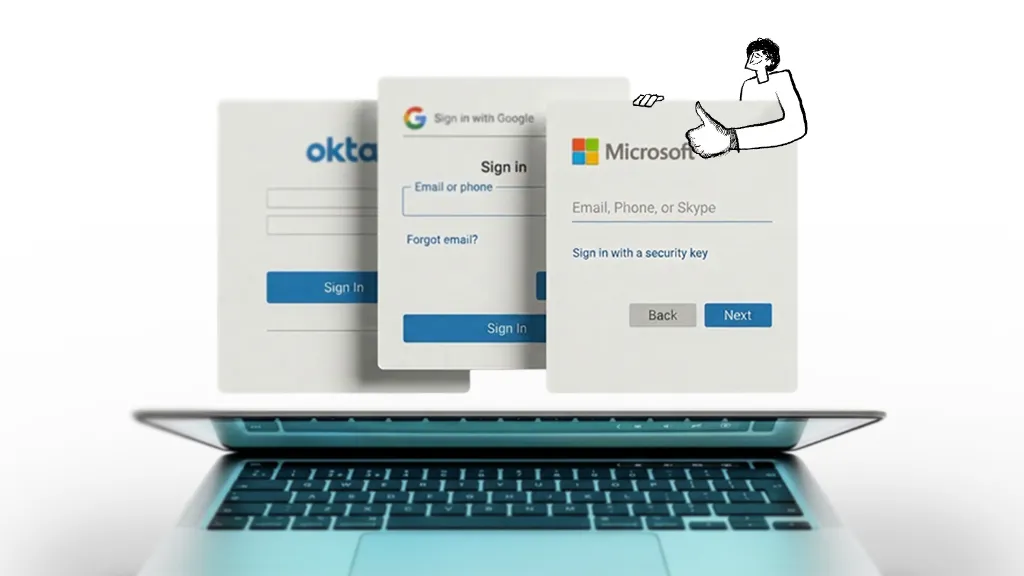
Addigy Identity makes the login window behave like the rest of that world. The same identity, finally on Mac. And because the login window is where every signal in a modern Apple fleet begins (who’s at the keyboard, what device they’re on, what policies apply) one sign-in does real work: it maps the device to the right user, keeps that mapping aligned with your IdP as people change, and feeds attributes into your policy engine.
The login window isn’t where identity ends. It’s where management begins.
Addigy Identity, Upgraded
For more than a decade, Apple MDM vendors sold the Mac login window as a separate purchase: an add-on license stacked on top of the MDM you already pay for.
Security has always been the foundation Addigy is built on. Not the ceiling, not a checkbox, not a feature stacked on top. The real attack surface in modern Apple management isn’t the device; it’s the person authenticated on it. Putting identity behind a paywall would put the foundation behind a paywall, and give customers a reason to skip the one surface where security actually starts. So we built identity into the platform and included core Identity for every customer, at every tier.
“You don’t pay extra for the seatbelts and airbags in your car. You shouldn’t pay extra to authenticate your users either.” Jason Dettbarn, Founder & CTO, Addigy
To be clear about what “included” means here: it’s the full capability below, not a stripped-down tier.
What‘s new in Addigy Identity
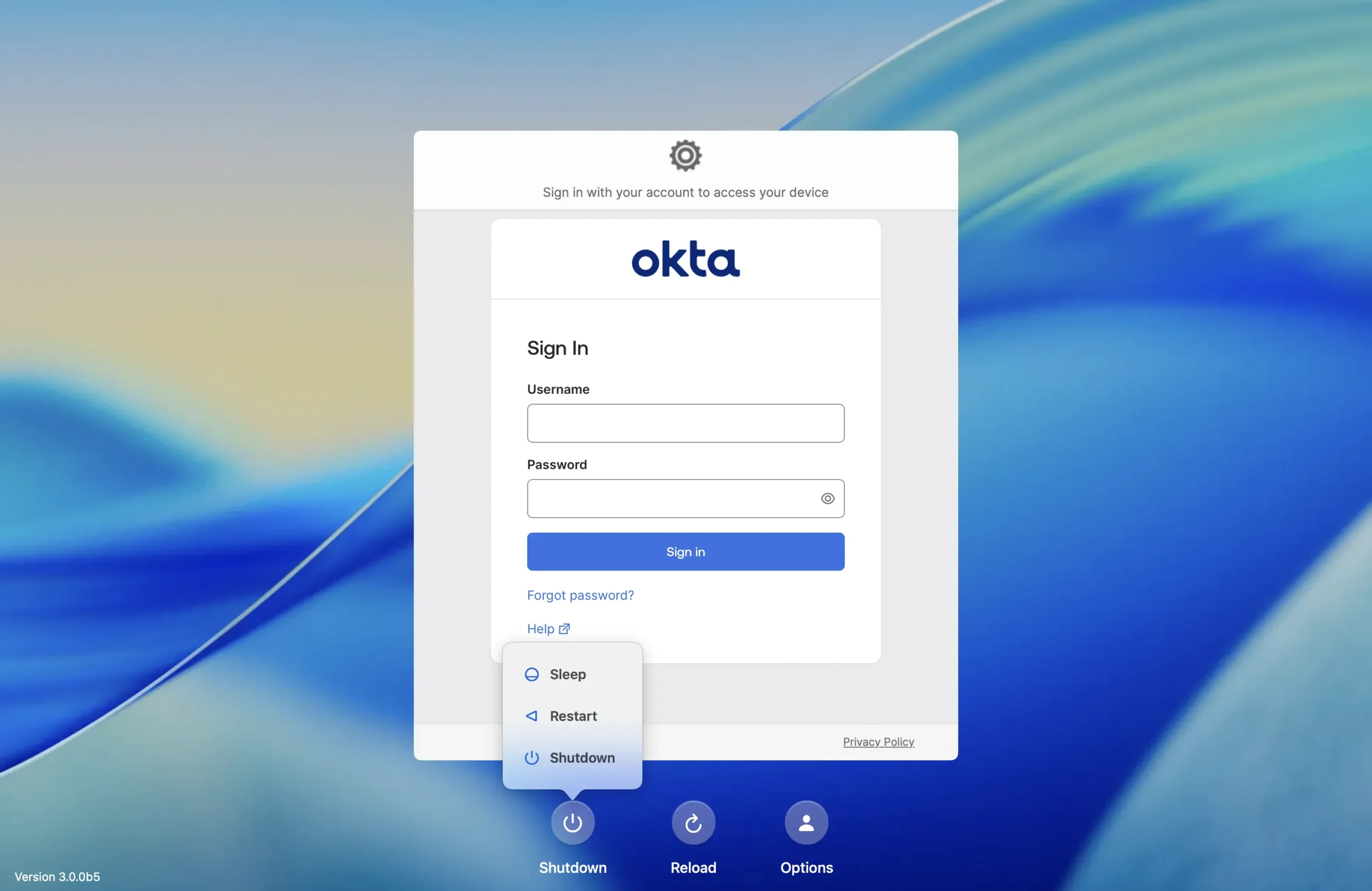
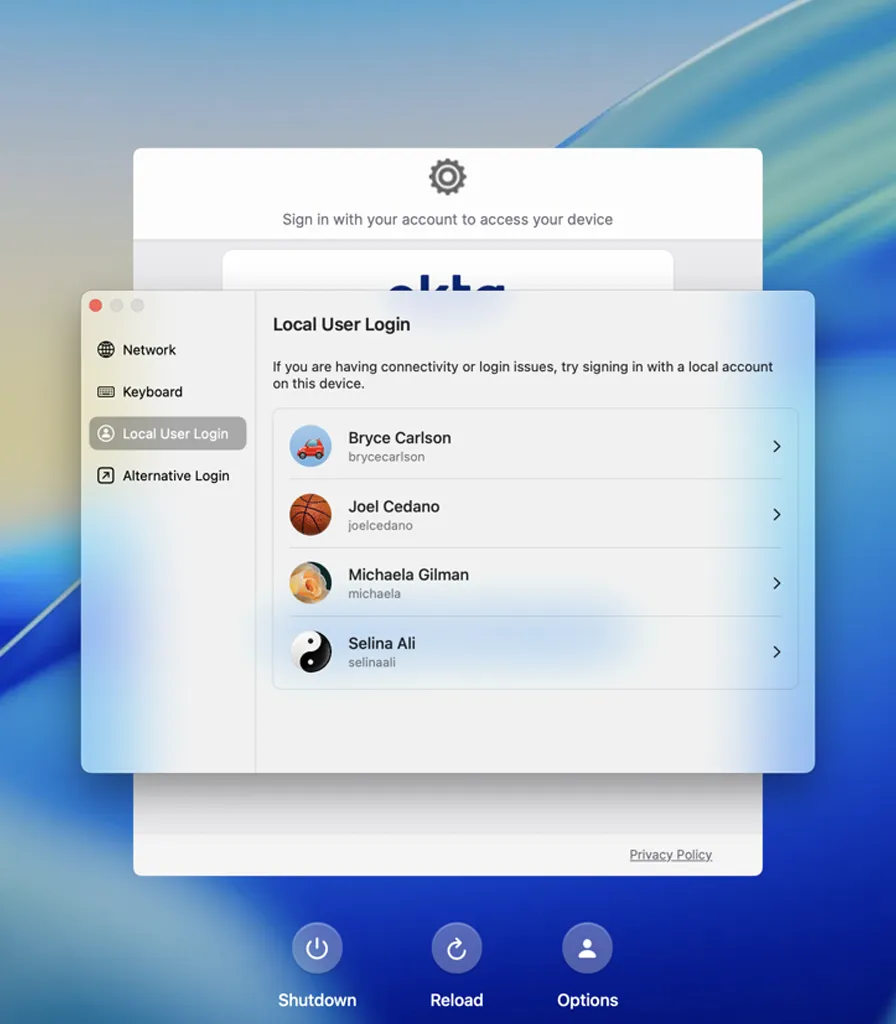
1. A redesigned login window that finally feels native to Mac. Identity v3 (December 2025) replaced the legacy sign-in flow with a Mac-native moment: multi-user presentation, password strength and account-lock warnings, account and network sync, backup login, and refined IdP selection. It works with Okta, Microsoft Entra ID, and Google Workspace.
2. Every sign-in feeds a real, live user directory. End User Management (April 2026) syncs users from any SCIM-compatible identity provider — Okta and Microsoft Entra ID natively, Google Workspace via standard SCIM configuration — and keeps them current as your organization changes. Users map to devices, IdP attributes become profile variables and policy conditions, and admins can track assets by user.
3. “Who logged in” now answers “who owns the device” — automatically. Identity-Driven Directory Assignment matches each sign-in to the right user record, with case-insensitive email matching and alias awareness. It’s opt-in, so nothing changes until you turn it on.
4. FileVault stays on, and the double-login goes away. FileVault Silent Unlock (opt-in) uses Apple’s native authenticated-restart token so a reboot skips the pre-boot encryption screen entirely. Your users authenticate once, at the login window. The biggest reason encryption-enforcing teams held back on identity is gone.
Existing customers: You can enable the single log-in flow with just one checkbox.
5. Policy follows the person. Because attributes like department and role come straight from your IdP, a Flex Policy can target users by who they are — the same signal that authenticates a user helps decide what their Mac is allowed to do.
Every one of these is included. No companion app, no separate license, no per-user uplift.
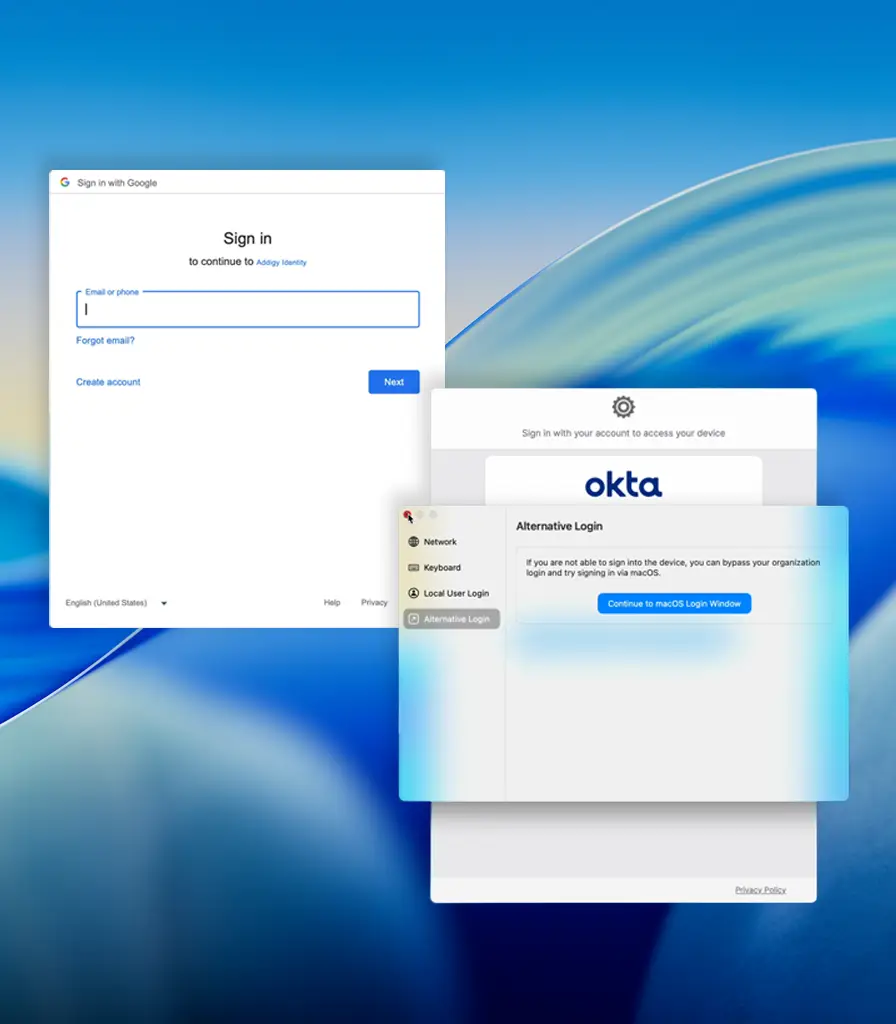
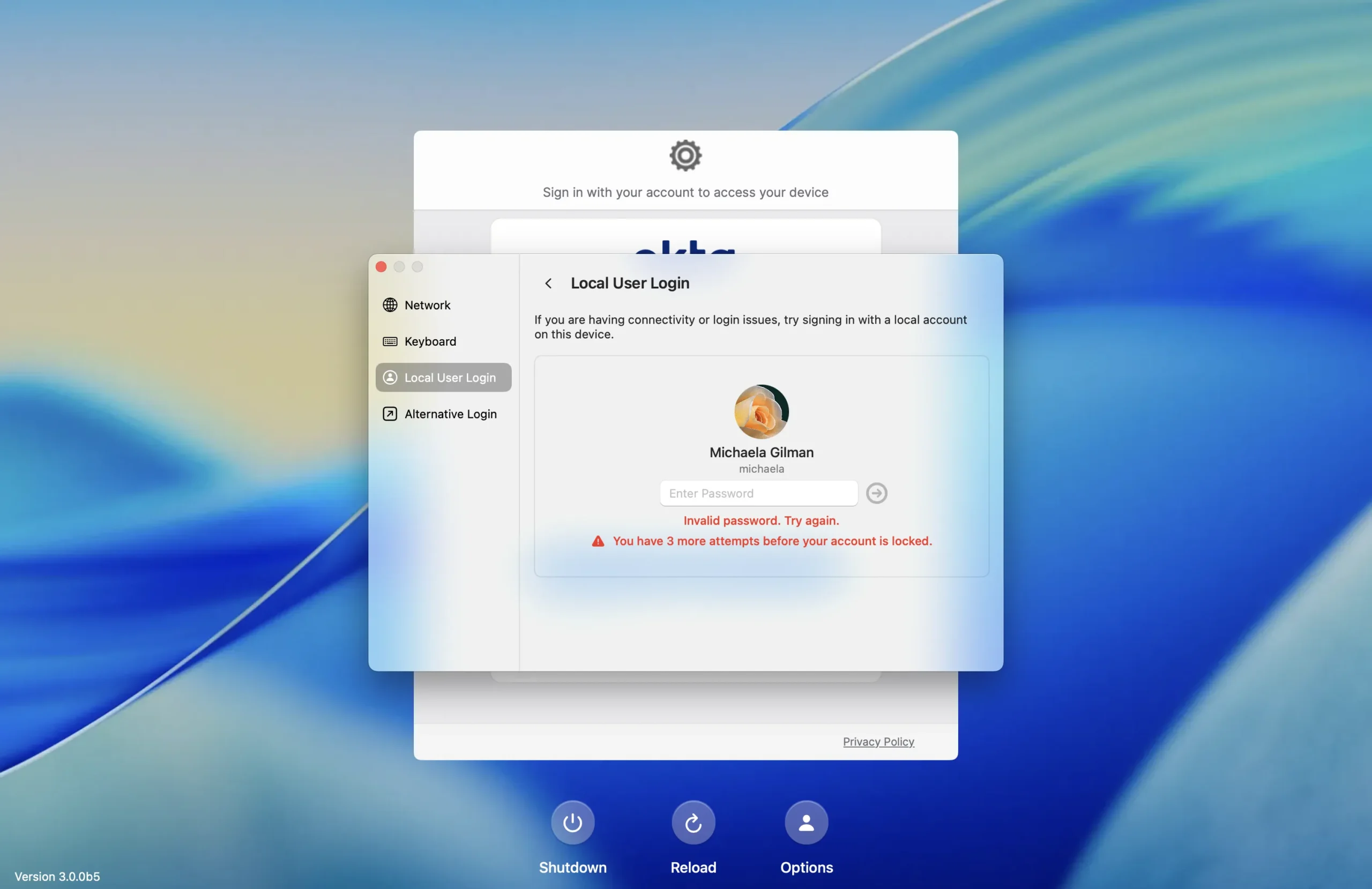
Addigy Identity keeps up with your user changes
Most MDMs manage devices; Addigy manages them in the context of the people using them — aware of who the user is right now.
Companies and roles change constantly: new hires, department moves, manager changes, departures, and your IdP records each one the moment it happens. Addigy stays aligned with that source of truth, so when the organization changes, user assignments update, policies stay accurate, and reporting stays current without an admin reconciling it by hand.
Addigy Identity gives admins their day back
One IT engineer running a 2,000+ device Apple fleet for a large construction firm cut full device setup from 15 minutes to 3–5 minutes after moving to user-attribute-driven policies:
“If you’re spending 5 minutes every hour in the portal, that’s 40 minutes a day just making sure devices are assigned correctly. With End User Management, we cut that down to maybe a minute. Our full device setup used to take 15 minutes — now it’s 3 to 5 minutes, because everything is automated.” — Junior Endpoint Engineer, large construction firm and Addigy customer
Who is Addigy Identity for?
MSPs running a book of clients on different IdPs. Every client. One console. One login. The Mac login standardizes across the whole book — whether Client A is on Okta, Client B is on Entra ID, and Client C just rolled out Google Workspace — instead of looking different every time. New-hire onboarding trends toward self-serve, and because core Identity is included, the economics hold as you grow from ten clients to forty.
IT admins who own the day-to-day. The “my Mac password is different from my work password” confusion ends. Login auto-maps each user to their device, so you stop pre-staging spreadsheets of who-owns-what. Fewer reset tickets, faster onboarding, less of your day spent on the login window.
IT directors and security leaders. The audit story finally covers Mac. Every sign-in becomes a recorded identity event, IdP attributes drive policy, and user-based management starts where the user starts — at login. FileVault keeps its posture and the user experience doesn’t get worse.
How to get started with Addigy Identity
Not an Addigy customer today? See an Identity demo with our Apple Experts.
- Connect the IdP you already run — Okta or Microsoft Entra ID — to Addigy Identity (Google Workspace via standard SCIM configuration).
- Turn on End User Management to sync your users and keep device assignments aligned automatically.
- Enable Identity-Driven Directory Assignment when you’re ready for sign-ins to auto-map users to their records (it’s opt-in).
- Switch on FileVault Silent Unlock per policy for the teams where encryption is enforced.
- Point a Flex Policy at an IdP attribute — like department — and watch user-aware management apply itself at the next login.
What’s next for Apple SSO?
The login window is the trigger for everything downstream, and we’re building on it through the rest of 2026: user-aware policy targeting, broader passwordless support, identity that connects each client’s provider from a single console for MSPs, and deeper Apple platform integration. We’ll share more on those as they become real.
When we recommend Addigy Identity, Apple’s Platform SSO, or something else for your situation, you’re getting the answer that’s right for your fleet — not the one that’s right for our revenue. Apple management starts at hello, and hello shouldn’t have a price tag.
See how Addigy Identity compares to what you’re running today. Compare your Apple login
Bonus: not sure which SSO approach fits your fleet? Find the right SSO solution for you