Apple Business Is Live: What MSPs Need to Know (And What’s Actually Free)
Apple just reset the starting line for Apple device management. On March 24, 2026, Apple announced that Apple Business Manager, Apple Business Essentials, and Apple Business Connect are being retired and folded into one free service simply called Apple Business, which went live April 14, 2026.
If you’re an MSP, your clients may already hearing about it: and the word they’re latching onto is free. “What am I paying for if Apple Business is free?” – that’s the conversation your SMB and mid-market accounts may try to bring to you.
Our Apple expert Selina Ali shows the MSP’s version of the story: what actually changed, what’s genuinely free, and exactly where you still add the expertise your clients are paying for. Get ahead of it, and Apple’s announcement becomes a pipeline instead of a pricing question.
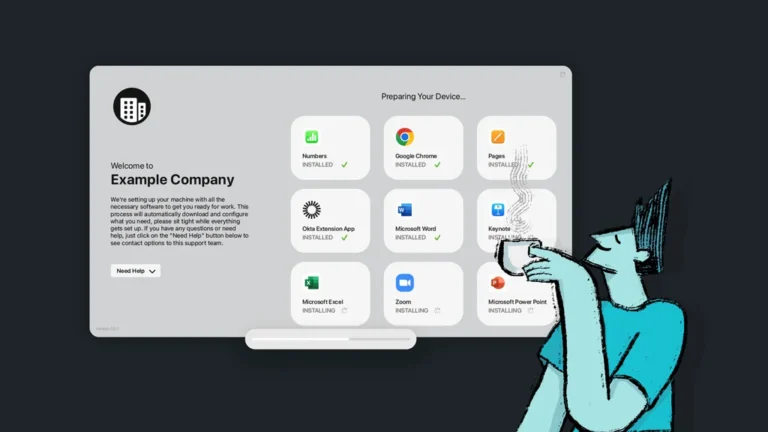
See Selina Ali’s video walk-through of the Apple Business interface.
What Changed in Apple Business, And Why the DUNS Requirement Removal Matters
The headline most write-ups are burying: Apple dropped the DUNS number as a hard requirement to enroll. Signing up is now open to any organization. You verify with two methods, upload one supporting document (business license, sales-tax permit, lease, utility bill, and so on), and review takes about five business days. Apple no longer phones you the way it did under Apple Business Manager.
The nuance that matters for how you advise clients: in the US, you can now verify with an Employer Identification Number (EIN) instead of a DUNS number — this specific change is documented as US-only. Outside the US, clients verify with whatever local business ID they registered with (a federal corporation number in Canada, a CVR in Denmark, and so on), as before.
Why an MSP should care: dropping the DUNS wall removes the single biggest barrier that kept the smallest US businesses out of Apple’s ecosystem. A whole tier of micro and small clients that were effectively locked out can now enroll. That means more of your book is suddenly eligible for Apple management, and more prospects can be onboarded without a procurement headache.
What you can tell clients: “Setting up Apple devices the right way used to need a special business registration number a lot of small companies didn’t have. Apple removed that barrier — if you’ve got an EIN, you’re in, and we can handle the verification.”
What Apple Business Actually Gives You for Free (It’s More Than You Think)
Basic device management on Apple hardware, previously a paid subscription inside Apple Business Essentials, is now free. Essentials customers stopped being charged the monthly device-management fee after April 14.
Here’s the checklist an MSP can actually act on:
- Built-in device management: a comprehensive view of a client’s Apple devices, settings, and apps from one interface, set up through Blueprints for zero-touch deployment (where Blueprints stop is the whole back half of this post).
- Hosted email, calendar, and directory on the client’s own domain: genuinely new, and aimed straight at Google Workspace and Microsoft 365 at the entry level. Two caveats to flag to clients: Apple states email is available “only for organizations based in the United States,” it’s one domain per organization, and the email/calendar/directory features require iOS 26, iPadOS 26, or macOS 26. Clients can bring a domain or buy one through Apple. Press coverage cites a ~500-user cap; Apple’s own page doesn’t state a number.
- Managed Apple Accounts with identity federation: cryptographic separation of work and personal data, plus automated account creation via Google Workspace, Microsoft Entra ID, and others.
- Brand visibility across Apple surfaces: logo and branding in Apple Maps, Wallet, Tap to Pay, and Mail (absorbed from Apple Business Connect, with existing data migrated automatically). Note Apple is rolling out paid Maps ads in the US and Canada this summer.
- A full Admin API: programmatic access to device, user, audit, and MDM service data.
A few things are still paid add-ons like extra iCloud storage (up to 2TB per user, from $0.99/user/month, US) and AppleCare+ for Business (from $6.99/device/month, or $13.99/user/month for up to three devices). Don’t confuse AppleCare+ for Business with AppleCare One — that’s the consumer multi-device plan launched July 2025 that a client may have bought with a personal device.
What you can tell clients: “Apple now bundles in a lot of what you pay for elsewhere. The catch is setup and control. Free to start doesn’t mean free to run well with security, so that’s our job.”
New Roles and Access Controls: What’s Changed for Teams With Multiple Admins
Apple Business has a much richer role set, so a client with more than one admin, and you, managing above them, can scope access properly. What each person sees changes by role; a staff member, for instance, can’t sign in to Apple Business at all.
- Organization Administrator: full access across all features.
- People Manager: manages people within specific organizational units.
- Device Enrollment Manager: manages devices and device-management services; assigns MDM profiles; handles built-in management.
- Content Manager: manages apps, books, and volume license purchasing within their org unit.
- IT Admin: a combined role (people, devices, licenses), scopable to org units.
- Staff: can use managed Apple devices and services but cannot sign in to Apple Business.
- Marketing Admin (new): manages all brands, locations, and associated features.
- API User: for the Apple Business Admin API.
Adding a person is quick: Apple auto-fills the managed Apple Account (username + domain), you set optional details (title, manager, start date, cost center), then send an email invite or a temporary sign-in. You can also reset a user’s MFA.
MSP angle: for a mid-market client with a small internal IT contact, roles let you co-manage cleanly. Give their person a scoped IT Admin role while you keep org-level control. Settle that split up front so responsibilities are clear.
What Apple Business Means for MSPs
Here’s the reframe: the free tier isn’t a threat to your business, it’s a lead generator. Clients can now self-serve into Apple Business, but they’ll get partway in and hit snags on the parts that need someone who actually knows Apple. That gap is your service.
The clearest example is enrollment. Apple Business’s built-in management gives you no control over the ADE / Setup Assistant experience. For an organization-owned device there’s no apparent way to skip the setup screens, Touch ID, Face ID, location services, and the rest. A client can enroll a device, but can’t shape or lock down what the employee sees on first boot. Shaping that experience is squarely an MSP job.
The same pattern shows up in brand and email setup. Claiming a brand across Maps, Wallet, and Mail means proving ownership, handling DNS/domain validation, and getting details right — and clients are still untangling what happened to their old Apple Business Connect accounts. Hosted email means DNS and DMARC work most owners won’t want to touch. Every one of those is a natural add-on service, and maps directly to our strongest MSP win theme: opening a new Apple service line (roughly 1 in 5 MSP wins reference it).
How MSPs can Frame Apple Business With Clients
When a client asks “why are we paying for device management if Apple does it for free?”, you don’t want to be defensive. Here’s a stance one that holds up:
Welcome the news, then reframe the cost. Free enrollment is genuinely good; it lowers the barrier to getting more of their fleet managed. But the software line item was never what they were paying for. They’re paying for the labor Addigy automates: monitoring, enforcement, response, and documentation. Take the tool away and that work doesn’t vanish: it lands back on your techs, device by device, and shows up in their bill anyway.
Draw the line at “set up” vs. “managed.” Apple Business gets a device configured and gives everyone an account. It does not watch that device afterward. Four gaps to name plainly:
- No monitoring or alerts: nobody’s told when something breaks until it’s already a problem.
- No automatic response: a lost or compromised device stays that way until a human catches it and figures out what to do.
- No enforced compliance: devices drift out of policy and software goes unpatched with nothing pulling them back.
- No audit trail: when an auditor, insurer, or security review shows up, there are no records to prove devices were managed and secure.
Use the analogy that lands: managing a fleet with Apple Business alone is like swapping your doctor for WebMD; fine for looking something up, not something you trust for outcomes.
Anchor in scenarios, not features. These do more work with a non-technical owner than any spec sheet:
- A laptop quietly stops getting security updates? Apple Business has no way to notice or fix it.
- A phone gets left in an Uber with client files on it? With Apple Business alone, someone has to be watching, remember the login, and figure out the next step.
- You let someone go Friday afternoon, but by Monday, their company device could still be active, or gone.
- A new hire needs a machine Day 1: self-serve means someone manually installs and configures and hopes nothing’s missed; managed means it ships ready to use out of the box.
The leave-behind. We’ve packaged all of this as a whitelabel, client-ready one-pager — “Apple Business update: what it means for your business” — written in plain language and designed for you to rebrand as your own. Hand it to any client asking about the change; it does the reframing for you. [Design note: whitelabel version — MSP logo/colors, no Addigy branding on the client-facing copy.]
Where Apple Business Stops and a Real MDM Starts
Under the hood, here’s the technical reality you should know cold. Apple Business’s built-in management is a real device-management service, and for the smallest deployments it’s fine. But it’s built on Blueprints (one for user devices, one for service devices (kiosks, conference rooms), or a custom one) and Blueprints show their limits fast. There’s no policy hierarchy, no conditional logic, and no multi-client management. When a 15-person SMB grows into a 200-Mac mid-market account, self-serve stops working.
Walking through what’s actually there and what’s missing:
- FileVault won’t enforce on its own. Built-in management won’t apply FileVault until you generate and upload an encryption certificate — because Apple deliberately never holds it (so it can’t decrypt client data, even under subpoena). Every real device-management service, Addigy included, handles this for you.
- No restrictions payload. The big one. You can’t stop a user from signing in with a personal Apple ID, and the granular device controls MSPs rely on aren’t there. In Addigy the restrictions payload is deep.
- Limited Wi-Fi config. No WPA3, limited SCEP/RADIUS. Fine for a simple office; not enough for a client with a real corporate network. Addigy does this out of the box.
- No Setup Assistant control (as above).
- You host your own packages. To deploy a macOS app you need a package URL you host yourself, plus the SHA-256 hash, bundle ID, and version — and if that URL ever changes, it breaks. Addigy hosts and deploys the package for you.
Anything beyond the basics requires hand-built custom .mobileconfig XML, which is fine if you’re technical, painful if you’re not. And the ceiling isn’t just policy depth, it’s cross-client management. Apple Business is one organization at a time; there’s no single console to run Blueprints across forty client tenants, which is the entire MSP job.
The smallest clients can self-serve on the free tier, and that creates MSP opportunity, not competition. The real Addigy zone is the 10–100+ device range, across one client or many, where Blueprints run out of room. The clean way to say it: use Apple Business as the enrollment and identity layer, and Addigy as the management, compliance, and multi-client layer for real-time control and deep policy on top. It’s a stack, not a fight.
The Bottom Line for MSPs
Position Apple Business as the starting line, not the finish. Apple made the on-ramp free and knocked down the DUNS wall, so more of your clients and prospects can get onto managed Apple devices than ever. That’s good for you.
Where Apple stops – Setup Assistant control, real restrictions, enforced FileVault, package hosting, and above all managing many clients in real time from one console – is exactly the expertise your SMB-to-mid-market clients can’t and won’t build in-house.
Want to find out how your Apple management stacks up against top MSPs? Download the free benchmark scorecard.