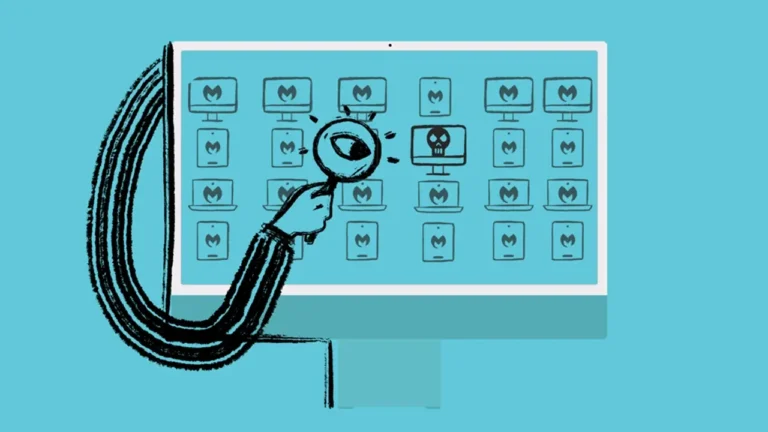
The Mac Endpoint Security Problem: Why Cross-Platform EDR Falls Short on macOS
TL;DR
If your Endpoint Detection and Response (EDR) tool runs on Mac the same way it runs on Windows, you’re paying for a tool that doesn’t fully understand the platform you’re trying to protect. This post breaks down where cross-platform EDR breaks on macOS, what EDR and Managed Detection and Response (MDR) actually do (and the difference), and why Apple-first security — built into the same workflow you already use to manage Macs — saves time, tickets, SOC overhead, and closes the compliance gaps your cross-platform tools leave behind.
The Mac problem most EDR tools don’t solve
Walk into any IT team running Macs and you’ll find the same pattern: the endpoint security tool was picked at the corporate level, deployed cleanly on Windows, and then someone said “now do this on Macs.” That’s where it gets messy.. and where your compliance posture quietly starts to whither.
Three things break:
Apple Device Deployment
macOS doesn’t let security agents install themselves silently the way Windows does. PPPC profiles, system extension approvals, network filter validation, notification permissions, service management — all required, none of them automatic. If your MDM and your EDR don’t talk to each other, every install becomes a manual project.
Apple Device Security Drift
Every macOS update can change permissions or break extensions. If you’re not actively managing the security stack alongside the OS, your ‘deployed’ agents quietly stop working — and a broken agent isn’t just an admin headache. It’s a gap in your compliance posture that won’t surface until an auditor asks for proof.
Apple Device Visibility
You’re toggling between an MDM console and a security console that don’t share context. Same machine, two views, two sources of truth. Everything takes twice as long to diagnose. And policies that look configured in one tool but aren’t continuously enforced across both? That’s security management debt — and it compounds with every new Mac you add.
The result is the same in every IT shop: Mac endpoints are protected on paper, but the workload to keep them that way burns out the admin who owns them.
Plus, the compliance frameworks that depend on continuous enforcement (HIPAA, SOC 2, CIS, NIST) don’t care what anything looks like on paper.
What EDR and MDR actually do — and why they’re not the same thing
Quick definitions, because the acronyms get muddy:
EDR (Endpoint Detection and Response) is the tool. It sits on the device, watches behavior, identifies threats, and gives you the data and controls to respond. EDR is software.
MDR (Managed Detection and Response) is the team. It’s the analysts who watch your EDR’s alerts 24/7, triage them, escalate the real threats, and contain incidents while you sleep. MDR is people and process.
You can buy EDR without MDR. Most companies do. The problem: an EDR alert at 2 AM doesn’t mean anything if no one is watching it. For organizations that don’t have a 24/7 SOC, that’s a real gap.
The strongest setup combines both — a purpose-built EDR with managed response coverage included, not a separate line item you have to chase.
Why Apple-first security wins
“Apple-first” doesn’t mean “Apple-only.” It means the security tooling was designed for how Macs actually work, and lives inside the workflow IT already uses to manage them. We made the broader case for this in The Apple Security Myth: Why Apple Endpoint Security Matters for IT Teams.
Three things change when you go Apple-first:
One console for Endpoint Management
No more tab-toggling between MDM and EDR. Your MDM, your security agent, your compliance dashboards, and your incident workflow live in the same view.
For security leaders who need to prove control to an auditor, not just demonstrate that enrollment was configured, that unified view is the difference between passing an audit and scrambling through two consoles to reconstruct a timeline.
Silent deployment across Apple devices
PPPC payloads, system extensions, and full disk access permissions can be pre-approved and pushed automatically by the same MDM that handles your provisioning. Nothing manual, nothing to rescript on every macOS update. If you’ve ever wrestled with this directly, you’ll recognize the pain we describe in How Setting Up PPPC Profiles Can Improve Security on macOS Devices.
Device management coverage you don’t have to staff
MDR is built in, so you get round-the-clock monitoring and response without standing up a SOC. Alerts get triaged by analysts, not by an admin who’s already paged on three other things.
And because detection and response runs continuously — not in check-in windows — you get the always-on coverage that compliance frameworks like SOC 2 and CIS actually require.
For IT teams running Mac fleets at scale — especially MSPs supporting multiple clients — this isn’t a nice-to-have. It’s the difference between security that runs itself and security that adds tickets.
How Addigy Security Suite is built for IT teams
Addigy Security Suite is our Apple-first security product. The detection engine is SentinelOne (Singularity Complete with Vigilance MDR), and we’ve built it directly into the Addigy MDM workflow — the same console you use to manage your Macs. We chose SentinelOne for a specific reason: it’s the only EDR with cross-platform parity that holds up on macOS, and Vigilance gives us the 24/7 response coverage most EDRs lack. We wrote about that decision in detail in Why We Chose SentinelOne: The Strategic Security Partner Behind the Addigy Security Suite.
The result for your team: one console, automated deployment, 24/7 MDR, and one bill. You can read more about what’s included on the Addigy Security Suite product page.
What this means for your Mac fleet
If you’re managing Macs and feeling any of the friction above — deployment headaches, drift after every macOS update, console-switching, paying for an EDR that doesn’t have someone watching it — there’s a better setup.
Talk to your Addigy team about Addigy Security Suite, or reach out for a demo.