
Addigy vs. Microsoft Intune
When “good enough” stops being enough.
Keep Intune for Windows. Give Apple the same standard. Addigy automates Apple app & OS updates, compliance, and gives you live control of every Mac, iPhone, and iPad.


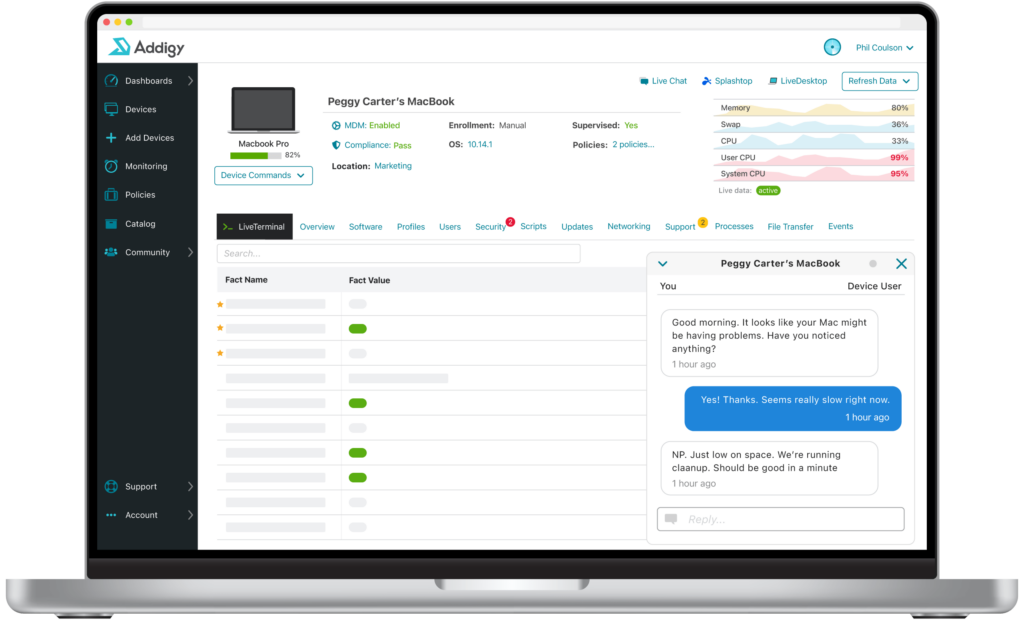

Built for Apple MDM | Trusted by IT
Why Addigy Over Intune for Apple Device Management?
- New Apple OS support on day zero, no catch-up window
- Audit in minutes, not days with built-in Apple benchmarks
- No scripting required to stay compliant; customize only when you want to

How does Addigy Compare to Intune
Key differentiators — “Nothing went wrong. Something changed.”
Choosing Intune was the right call — it came with your license and it runs Windows well. Then the Mac count grew, Apple rebuilt how updates work, and the auditors got specific. The tool didn’t get worse; the job got bigger. Here’s where the hands-on time goes:
The scripting nobody budgeted for. Mac compliance on Intune is assembled from build kits, custom profiles, and remediation scripts. Addigy ships CIS, NIST, and DISA STIG built in, with live drift detection. No scripting required; customization when you want it.
The waiting. Deployments and commands wait on a device sync — G2 reviewers report slowdowns deploying and assigning configurations. Addigy: automate the routine, customize the exceptions, go live for the emergencies.
The catch-up after every Apple release. New macOS and iOS capabilities have historically landed in Intune after Apple ships them. Addigy supports new Apple OS releases on day zero.
“You don't have to rip out Intune”
This isn't all-or-nothing. Plenty of Addigy customers keep Intune for their Windows fleet and run Addigy for Apple — each platform managed by the tool built for it. Addigy works alongside your Microsoft stack, including Entra ID for identity. Migration is simpler than most teams expect, with free onboarding and Apple experts on first contact.


Ready to see the difference?
See how Addigy delivers day-zero Apple support, built-in compliance, and real-time management, whether you replace Intune or run alongside it.
Related Resources & Features



Frequently Asked Questions
Doesn't Intune already come with our Microsoft 365 license?
Yes, but if it fully covered your Apple fleet, you wouldn’t be reading this page. The bundled license doesn’t include the Apple expertise, the DIY compliance work, or the day-zero OS support your Macs need. Compare total cost of ownership, not sticker price.
Do we have to leave Intune to use Addigy?
No. Many customers run Addigy for Apple alongside Intune for Windows. You can also migrate fully — free onboarding and migration help either way.
What's changing with Apple software updates in 2026?
Apple deprecated the legacy MDM update commands beginning with OS 26; they stop working on the release after. Platforms must move to Declarative Device Management. Addigy is already DDM-native — no migration project on your side.
Won't two consoles mean more work than one?
Teams tell us the opposite: one tool that manages Apple well costs less time than one console that manages Apple poorly. Addigy’s single login covers your entire Apple estate — every tenant, every client, every device.
Can Addigy meet our compliance requirements?
Addigy ships CIS Benchmarks, NIST, and DISA STIG frameworks built in, monitors continuously for drift, and produces exportable audit reports in seconds — no custom scripting required.