Before the Bell: A K-12 IT Leader’s Checklist for Apple Device Management Before Budget Season Closes
Five things worth a hard look between now and July — plus a few signs your current MDM may not be set up for the year ahead.
TL;DR
K-12 IT teams have an eight-week window between May and July to evaluate Apple device management without disrupting instruction.
Jamf-managed districts in particular are reassessing this year as recent price changes have pushed several K-12 environments to evaluate alternatives. Addigy is a purpose-built Apple MDM platform used by K-12 districts to manage iPads, Macs, and Apple TVs at scale through Apple School Manager.
Before signing your next MDM renewal, our Apple experts suggest you pressure-test five things:
- How deeply your MDM integrates with Apple School Manager
- Whether your Shared iPad and 1:1 workflows hold up at scale
- Evaluate your summer-prep timeline to be sure it’s realistic
- What your multi-year licensing math actually says
Whether the platform is ready for what is coming next in K-12 Apple deployments.
Why evaluate Apple MDM now
A mid-sized K-12 district returning 4,000 iPads in June has roughly 280 hours of summer work ahead of it — wipe, re-enroll, validate, deploy — before a single teacher walks back into a classroom in August. The window to do it well is eight weeks.
It is also the only window of the year when changing how you manage your Apple fleet does not disrupt instruction. If your current setup has been a source of friction — slow summer prep, high licensing costs, gaps in shared iPad workflows, or thin support when something breaks — this is the time to stress-test it.
Below is a short checklist to run before you sign the next renewal. It is built around what we hear most often from K-12 IT leaders evaluating their options right now. Want this as a printable checklist? Download the K-12 IT Leader’s Checklist PDF.
1. Validate and test your Apple School Manager integration
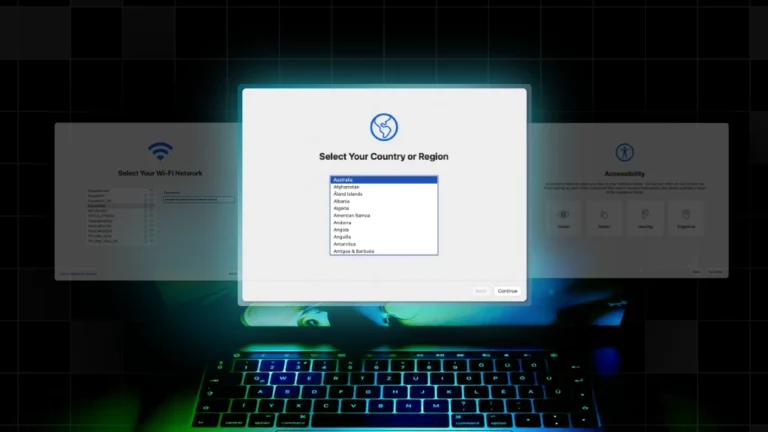
Apple School Manager (ASM) is the backbone of any K-12 Apple deployment. Automated Device Enrollment, Managed Apple IDs, Volume Purchase Program, and Shared iPad all run through it. The question is not whether your MDM connects to ASM — most do. The question is how deeply.
Ask: How long does it take to enroll a new cart of 30 iPads? Can a building tech do it without filing a ticket? Are Managed Apple IDs syncing correctly? Are app assignments through VPP landing on the right devices on the first try?
If you want a reference point on what a modern ASM integration should look like, our Apple School Manager guide walks through the workflow end to end.
2. Look hard at shared iPad and 1:1 workflows
K-12 environments push iPads harder than almost any other vertical. A single device can serve six students in a day, get passed between classrooms, and need to reset cleanly between periods. The MDM has to support that — not work around it.
Specifically: Can you use Return to Service to reset shared iPads between class periods or testing windows without manual intervention? Can students log in with their Managed Apple ID and pick up where they left off? Do app and content restrictions follow the student, not the device?
If you are using Shared iPad mode (or considering it), it is worth reviewing the Shared iPads documentation and the Automated Device Enrollment guide before next year’s setup begins.
3. Build a real summer-prep timeline
Districts that automate enrollment cut summer prep from 4 weeks to 10 days. Summer is short. If wiping, re-enrolling, and updating your fleet takes four weeks, you have lost half your window before professional development even starts. The fastest K-12 teams we work with break summer prep into three phases: collect and inventory in June, wipe and re-enroll in early July, and validate apps and configurations by the end of July.
If your MDM cannot support that cadence — because enrollment is manual, because remote actions are slow, or because you do not have live visibility into device state — the timeline slips. And when the timeline slips, instruction is what suffers.
4. Run the multi-year math on your licensing
This is the section most K-12 IT leaders skip and then regret. The sticker price on your MDM renewal is rarely the real cost. The real cost includes per-device licensing across iPads, Macs, and Apple TVs, the support tier you actually need, the engineering hours you spend writing scripts to fill product gaps, and the integration work you absorb every time something changes.
Jamf-managed districts in particular have been re-running these numbers this year. Recent price changes have pushed several K-12 environments to evaluate alternatives that fit a tighter education budget without sacrificing what they actually use. We’ve supported a number of those migrations and the pattern is consistent: districts find they were paying for capability they did not need, while still scripting around capability they did need.
A recent district migration involved roughly 4,000 iPads and 900 Macs — a profile not unusual for a mid-sized K-12 environment. The shift produced meaningful licensing savings without changing the day-to-day workflow for the IT team.
For a direct side-by-side, the Addigy vs. Jamf comparison is the cleanest starting point. The 9 reasons K-12 and enterprise teams switch from Jamf post is worth a skim if your renewal conversation has already begun. And the Flow case study walks through what a Jamf-to-Addigy migration actually looks like in practice.
Not ready to migrate mid-contract? Amplify is built to layer real-time visibility and remote control on top of an existing MDM — including Jamf — so districts can add capability now and decide on the platform question at renewal.
5. Plan for what’s coming, not just what you have
Apple’s K-12 device strategy is evolving. New iPads, the continued growth of Shared iPad deployments, and emerging device categories — including Neo devices, which are getting traction in K-12 environments — mean the MDM you choose this year needs to support the fleet you’ll have in two or three years, not just the one you have today.
Ask your vendor what their roadmap looks like for new Apple hardware and OS releases. Ask how quickly they shipped support for last fall’s iPadOS update. Ask what they are doing to support emerging device categories that K-12 IT is starting to evaluate. A purpose-built Apple platform should be ahead of you on these questions, not behind.
The bottom line
The strongest K-12 IT teams treat the May-to-July window as a forcing function, not a fire drill. Use it to put real numbers behind your renewal decision, to validate that your workflows hold up under shared iPad and 1:1 pressure, and to make sure the platform you carry into next year is the one you would choose if you were starting fresh today.
Book a 30-minute K-12 demo before June 1 and secure your fleet now. You can also start at our education page or visit addigy.com to talk to our team.